

TikTok Ad Preview — 9:16 Safe Zone & Character Limit Simulator

Preview your TikTok ad on a true 9:16 vertical canvas. See where your description hits the "... See more" cutoff, and toggle the safe-zone overlay to find the blind spots where TikTok's interface would cover hardcoded text in your video.

Primary text

Live preview

Description0 / 100

Previewed in your browser only — never uploaded or stored.

TikTok

Live preview

Fits
Add media

@you

Write your primary text…

Shop Now

Shaded bands show where the interface covers your creative. Keep important text out of them.

TikTok ad character limits and the "See more" cutoff

A TikTok ad description truncates around 100 characters, after which the platform appends an unclickable "... See more" and clamps the visible text to roughly four lines. Anything past that is hidden unless a viewer taps. Because TikTok is sound-on, fast-scrolling, and full-screen, your first line has to earn the watch — the simulator above shows the exact cutoff so your hook is never buried.
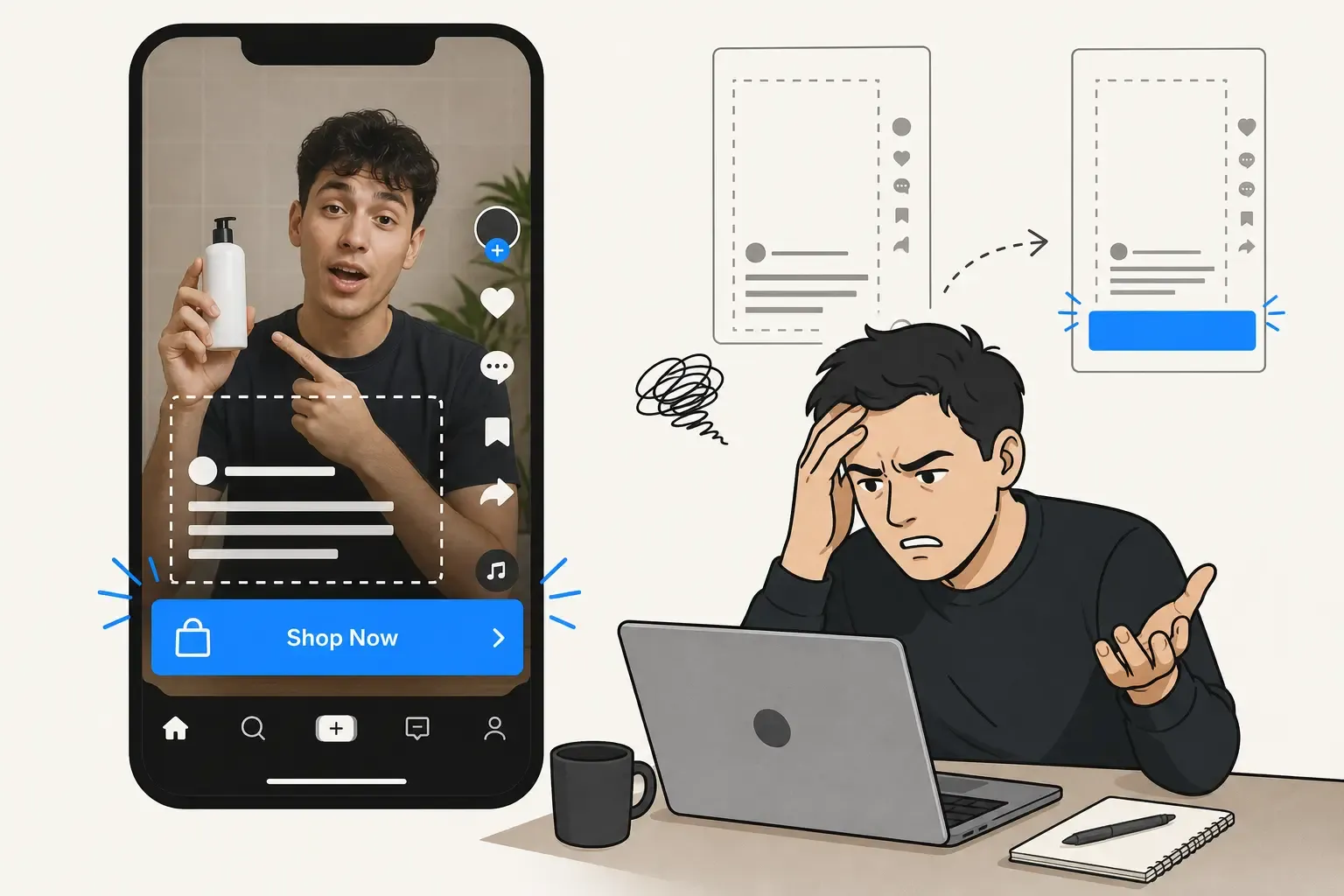

TikTok safe zones: where not to put text

This is the single biggest mistake in TikTok creative: baking text or logos into the parts of the video that TikTok's interface covers. On a vertical 9:16 video, the UI blocks three regions — the top ~10% (the For You / Following tabs and status bar), the bottom ~20% (username, caption, call to action, and the music ticker), and the right ~15% (the profile photo plus the like, comment, bookmark, and share icons). Toggle the Safe Zone overlay to see these blind spots as translucent red bands, so you know precisely where hardcoded text would be hidden.

How to prevent text cutoff on TikTok

Keep captions, prices, disclaimers, and logos inside the clear central area — never in the top bar, bottom fifth, or right rail. If you must place text low, raise it well above the caption block. Design for the interface from the first frame rather than discovering the collision after the ad is live.

Preview your vertical video privately

Upload a vertical thumbnail to the 9:16 canvas, type your description, and toggle the overlay — all in your browser, with nothing uploaded or stored. You will see your TikTok ad the way users do, with the safe zones mapped, before you ever push it to TikTok Ads Manager.

FAQs

What is the TikTok ad description character limit?

The visible description truncates around 100 characters with a "... See more" link, and is clamped to about four lines. Keep your hook and key message before that cutoff.

What are the TikTok safe zones?

The areas the interface covers on a 9:16 video: the top ~10% (tabs and status bar), the bottom ~20% (username, caption, CTA, music ticker), and the right ~15% (the profile and engagement icon stack).

How do I prevent text from being cut off on TikTok?

Keep all important text and logos inside the clear central column, away from the top bar, bottom fifth, and right rail. Use the safe-zone overlay in this tool to check placement before exporting.

Is my video or text uploaded?

No. The preview runs entirely in your browser. Your thumbnail and description are never uploaded or stored.

Last updated: June 18, 2026

Ready to see how your post really looks?

Paste your draft into the PostTruncate editor and instantly see live previews across LinkedIn, X, Instagram, Facebook, Threads, and TikTok — with fold lines, thread splits, and limit warnings updating as you type. Free, instant, and nothing ever leaves your browser.

Start writing — it's free