



TikTok's 4,000-character caption limit
A TikTok caption can run up to 4,000 characters when you post natively in the app — though the TikTok API and schedulers (Buffer, Hootsuite, Later) still cap captions at 2,200, so that's the safe ceiling if you don't post by hand. Either way it is far more than most creators ever fill. That headroom is real, but it is rarely the constraint that matters on TikTok. The video carries the message; the caption is context, searchable keywords, and a nudge to act. PostTruncate's TikTok caption checker counts every character live as you type, with a colour-coded meter that warns you as you approach the cap and flags the moment you cross it.
Because TikTok is built around the video, almost nobody reads a 2,000-character caption in the feed. The smart play is to front-load: say the one thing that earns the watch or the comment in the first handful of words, then add the rest for the algorithm and the people who tap through.
The "…more" fold: the first line or ~100 characters
This is the rule that catches creators off guard. In the feed, TikTok shows only the opening of your caption and collapses the rest behind a "…more" tap. The cut happens at the first line break OR roughly the first 100 characters — whichever comes first. Put a line break after your first sentence and everything below it disappears behind the fold, even if you are nowhere near 100 characters.
That makes your opening line the entire caption for most viewers. Write a hook that stands on its own, keep it to one line, and hold any hashtags, credits, or line breaks until after it. The preview above marks exactly where your caption folds so you can see what survives before you post.
Hashtags and emojis count — and the 9:16 canvas
Every hashtag, emoji, space, and line break counts toward the caption total (4,000 native, 2,200 via the API). A wall of hashtags at the end of a caption can quietly burn through hundreds of characters, and emoji-heavy copy adds up faster than it looks. The counter above tracks all of it in real time so nothing pushes you over unexpectedly.
TikTok video is full-screen vertical 9:16 — 1080×1920 pixels. The native interface sits on top of your video: the username, caption, and music ticker run along the bottom, and the like, comment, share, and profile buttons stack down the right edge. Keep important text and faces clear of those zones. The preview's optional safe-zone overlay shows the top ~10%, bottom ~18%, and right ~15% that the UI covers.
Profile limits and writing for the For You feed
For reference when you set up or tidy a profile: a TikTok bio holds 80 characters, the @handle (username) holds 24, and the display name holds 30. These are short by design — treat the bio as a single sharp line, not a paragraph.
TikTok's For You feed rewards watch time and replies over polish. A caption that poses a question, sets up a payoff, or invites people to finish the thought in the comments consistently outperforms a tidy summary. Use PostTruncate to draft your caption, check the count, confirm your hook clears the "…more" fold, and preview it over a 9:16 reel — all before you ever open the app.
FAQs
What is the maximum caption character limit on TikTok?
A TikTok organic video caption can hold up to 4,000 characters when you post natively in the app — though the TikTok API and most schedulers (Buffer, Hootsuite, Later) still cap captions at 2,200, so that's the safe ceiling if you don't post by hand. Either way it provides plenty of room for micro-blogging, context, and SEO keywords. However, just because you have the space doesn't mean your audience will see it all without clicking to expand the text.
When does TikTok truncate my caption behind the "…more" button?
Because TikTok prioritizes the full-screen video experience, the feed aggressively hides long captions. Your text will typically truncate and collapse behind a "…more" button after the first 100 characters or roughly 4 lines of text, whichever comes first. To maximize engagement, always place your primary hook at the very beginning of your caption so it survives the fold.
Do hashtags and emojis count against the character limits?
Yes. Every single hashtag, emoji, space, and line break counts toward your total caption budget (4,000 native, 2,200 via the API). More importantly, they count toward your visible cutoff limit. Stacking too many hashtags at the beginning of your post will push your actual text downward, forcing it behind the "…more" button much faster.
What is the correct size and aspect ratio for a TikTok video?
TikTok videos are designed for a full-screen vertical experience with a 9:16 aspect ratio, requiring a resolution of 1080 × 1920 pixels. Filming or rendering outside of these exact dimensions will result in black bars on the screen or automatic cropping that can ruin your video's framing.
What are the TikTok Safe Zones for video text and graphics?
The TikTok Safe Zone is the central area of your 9:16 video where hardcoded text and stickers will not be blocked by native app elements. To prevent your content from being hidden, you must avoid placing critical visuals in three "dead zones": The Bottom (~20%): Covered by your username, caption, and the scrolling music ticker. The Right Side (~15%): Covered by the engagement stack (profile picture, like, comment, bookmark, and share icons). The Top (~10%): Covered by the status bar and "For You" navigation tabs.
Are TikTok In-Feed Ad text limits different from organic posts?
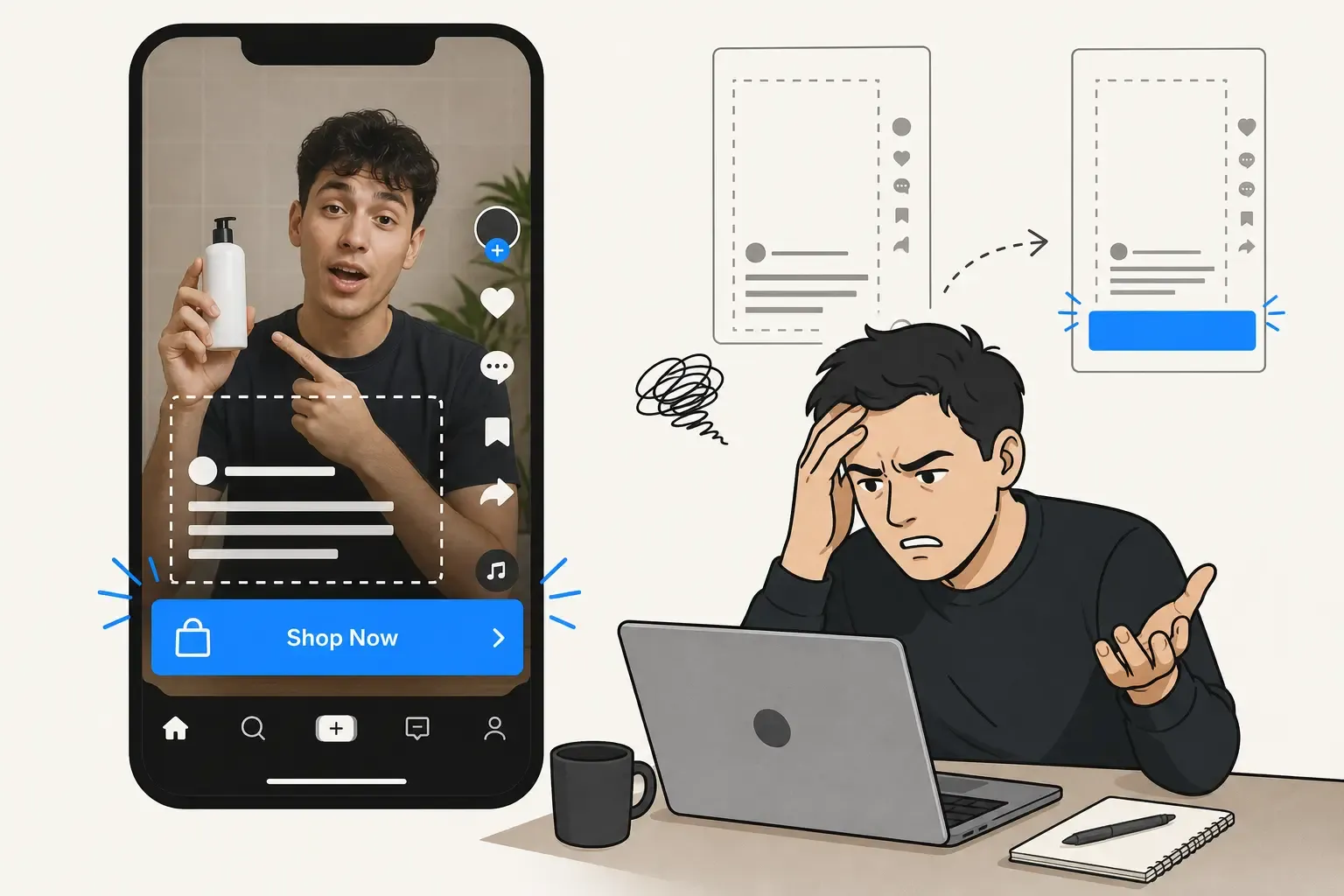
Yes, significantly. While organic posts hide text after roughly 100 characters, sponsored In-Feed Ad captions are truncated almost immediately—typically after just 1 line of text (around 35 to 40 characters). The TikTok UI cuts off ad text aggressively to prioritize the clickable Call-To-Action (CTA) button at the bottom of the screen.
How do line breaks affect my TikTok caption visibility?
Formatting plays a huge role in truncation. Every time you hit "Enter" to create a line break, it accelerates how fast the "…more" button appears. If you write a 30-character hook but immediately add a line break below it, everything underneath will be hidden. Keep your opening hook on one continuous line to guarantee maximum visibility.
How can I preview my TikTok video to check for text overlaps?
The most reliable way to avoid blocked text is to test your layout before publishing. Using the PostTruncate live simulator, you can paste your draft and instantly see where the text naturally folds. You can also upload a video thumbnail and toggle on the translucent Safe Zone overlay to ensure your on-screen graphics completely clear TikTok's native UI buttons.
Latest from the blog
-
18 min read
TikTok ad layout: why in-feed ads break your organic formatting
TikTok's in-feed ad CTA button injects into your organic layout and covers on-screen text. Here's the exact layout shift media buyers need to know.
Read article → -

15 min read
TikTok Photo Mode: Preview Text Formatting Before You Post
TikTok Photo Mode drops white caption text directly on your images - no safe zone. Here's how to check your layout before you publish.
Read article →
Last updated: June 19, 2026