



Best X Thread Tools: How to Automatically Split and Format Long Tweets
The 280-character limit doesn't have to mean manual copy-paste marathons. Here are the best X thread tools that split and format long posts automatically.
 By Anirudha Published
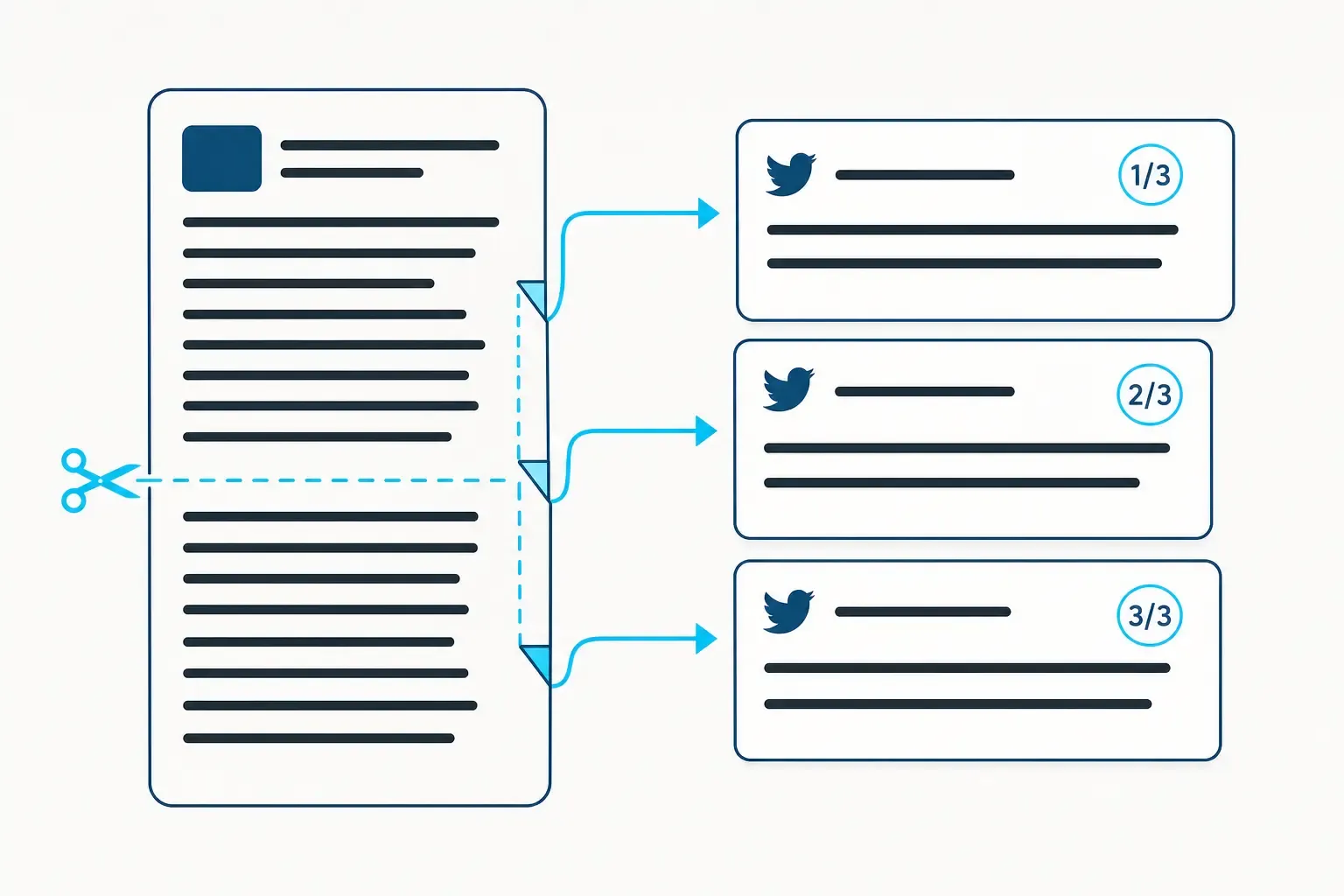
TL;DR
You have 1,200 words of insight, and X gives you 280 characters. The tools that solve this automatically split your post at sentence boundaries, number each tweet, and either show you a formatted thread to copy or schedule it directly. PostTruncate’s Twitter character counter is the fastest free option - paste your text, get a numbered thread, no login needed. Typefully ($16/month) is the right call when you also want scheduling, AI writing, and analytics. Chirr App is the thread-veteran’s choice - purpose-built since 2017 with a dedicated editor. None of them will fix a badly structured argument, though. What you split still has to be worth reading.
The 280-character wall and what it actually costs you
Most creators don’t lose engagement because of the 280-character limit. They lose it because of how they respond to it.
The manual approach looks like this: write a draft in Google Docs, count characters, find a break point somewhere before 280, copy the first chunk into X, add the second tweet, repeat ten times, try to remember to number them, post at 11 pm when your audience is asleep. By tweet 4, you’ve forgotten what the thread was actually about.
The result is threads where each tweet cuts off mid-thought, numbered inconsistently, with random line breaks where the word count happened to hit the limit. Engagement drops because readers can’t tell if the next tweet is worth clicking.
X’s platform limits aren’t the problem. The manual process is. The 280-character ceiling is a real constraint - any URL you include costs exactly 23 characters via X’s t.co wrapper regardless of actual length, emoji count as 2 characters each, and CJK characters (Chinese, Japanese, Korean) cost double too. A post that looks like 270 characters in your notes app might already be over the limit by the time X counts it properly.
Thread splitter tools exist to absorb all of that accounting, so you can focus on the actual writing.
The mechanics are simpler than you might think.
A thread splitter reads your full text, identifies natural break points - ideally sentence endings, not mid-clause cuts - and divides the content into chunks that each stay under 280 characters. The good ones account for X’s weighted character system (so your emoji-heavy tweets don’t get miscounted), add numbering automatically (1/5, 2/5, etc.), and show you a preview of each tweet before you commit.
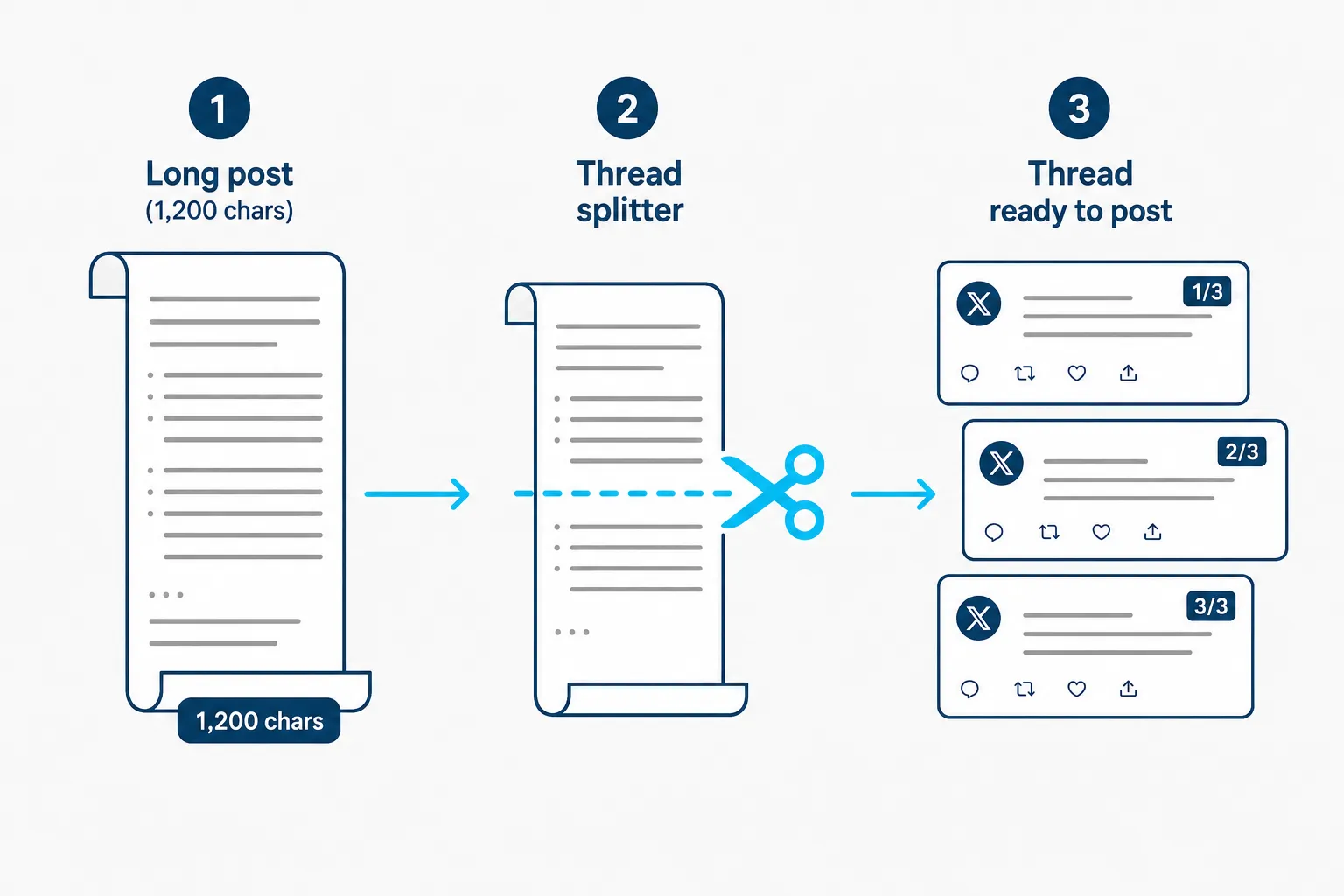
How a thread splitter turns one long post into a numbered tweet series, as taken from PostTruncate
The difference between a good and bad splitter comes down to one thing: whether it breaks at word or sentence boundaries. A splitter that cuts mid-sentence produces threads that read as if they got hit by a lawnmower. A splitter that respects sentence structure produces threads where each tweet feels complete.
Most of the tools that existed three years ago are now dead. ThreadCreator (which ran under ThreadStart.io) shut down, explicitly citing X’s API pricing changes - the costs exceeded revenue after the 2023 price hike. TweetDuck’s domain is currently for sale on GoDaddy at $2,995. The ecosystem thinned out significantly.
What’s left is a smaller group of tools that either survived by expanding beyond X-only features or avoided API dependency entirely.
PostTruncate’s free thread splitter
PostTruncate’s Twitter character counter has a built-in thread splitter that’s easy to miss because it doesn’t announce itself - it activates automatically when your text exceeds 280 characters.
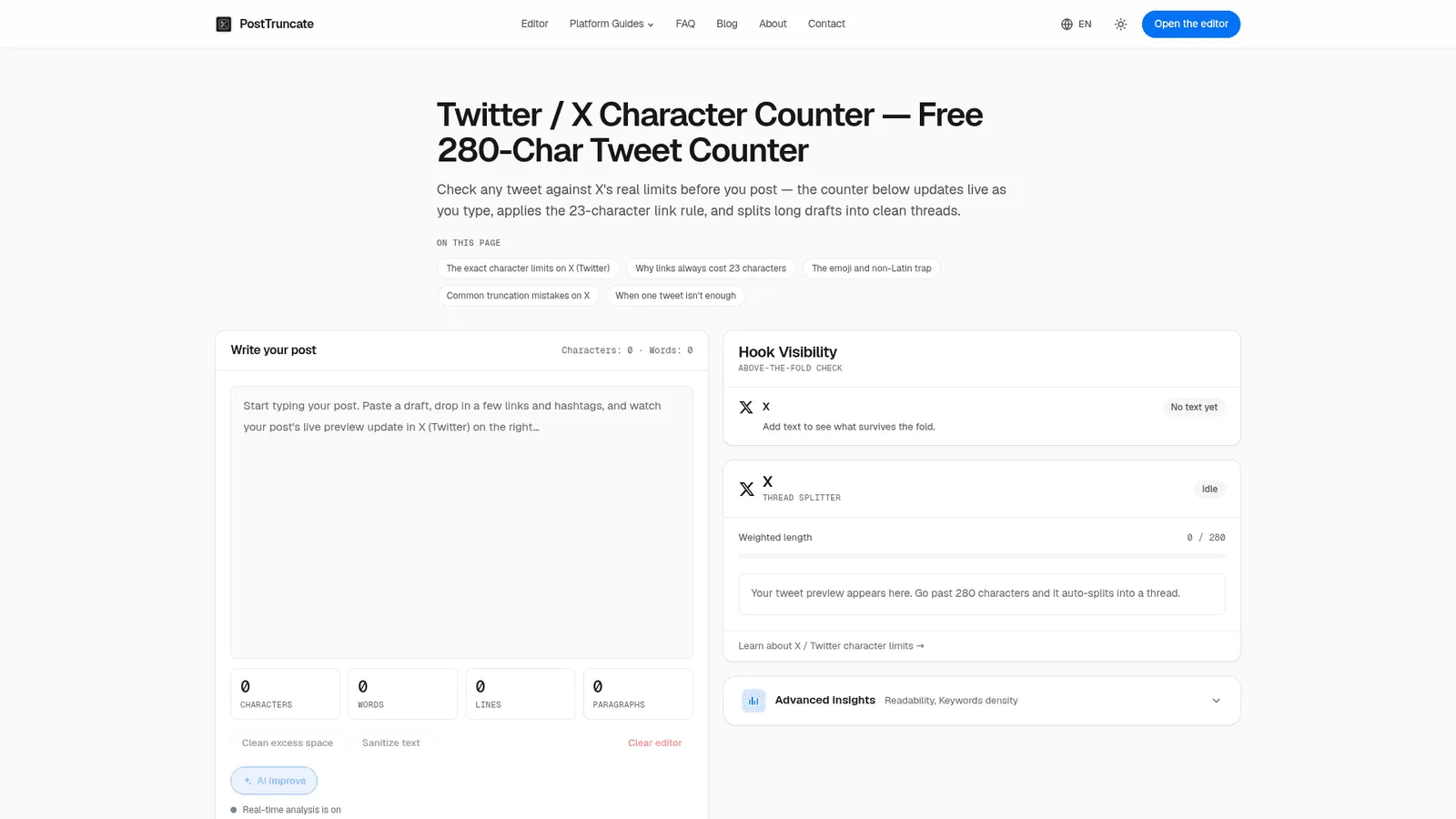
PostTruncate's Twitter character counter tool in action, as taken from PostTruncate
Paste in any length of text. The tool does three things at once: counts characters using X’s real weighted system (accounting for link costs, emoji weight, CJK character doubling), shows you a live tweet preview of how the first 280 characters look in the X feed, and splits the overflow into numbered thread tweets at word boundaries.
The weighted length indicator is the part that matters most if you’re writing emoji-heavy content or including links. A post with three emojis and one URL can be significantly over 280 characters even when it looks short - PostTruncate’s counter shows the weighted count in real time, so you see the overage before it’s a problem.
Everything runs client-side. Your text never leaves your browser. There’s no account, no tracking, no paywall. The tool is fully privacy-first by design - which makes it the only thread splitter you can use with sensitive drafts without worrying about where your content goes.
What it doesn’t do: PostTruncate doesn’t post to X for you. It’s a formatter and counter, not a publisher. The workflow is: draft in PostTruncate, check the thread split looks right, then copy each tweet into X or a scheduler. That extra step is the trade-off for the free + no-login experience.
Our take: If you want fast, free, and private - this is where to start. No setup, no subscription, no API dependency. The thread splitter is a useful bonus on top of the best free character counter for X available.
Typefully
Typefully is the tool to reach for when splitting isn’t enough - when you also want to schedule, analyse performance, and write with AI assistance.
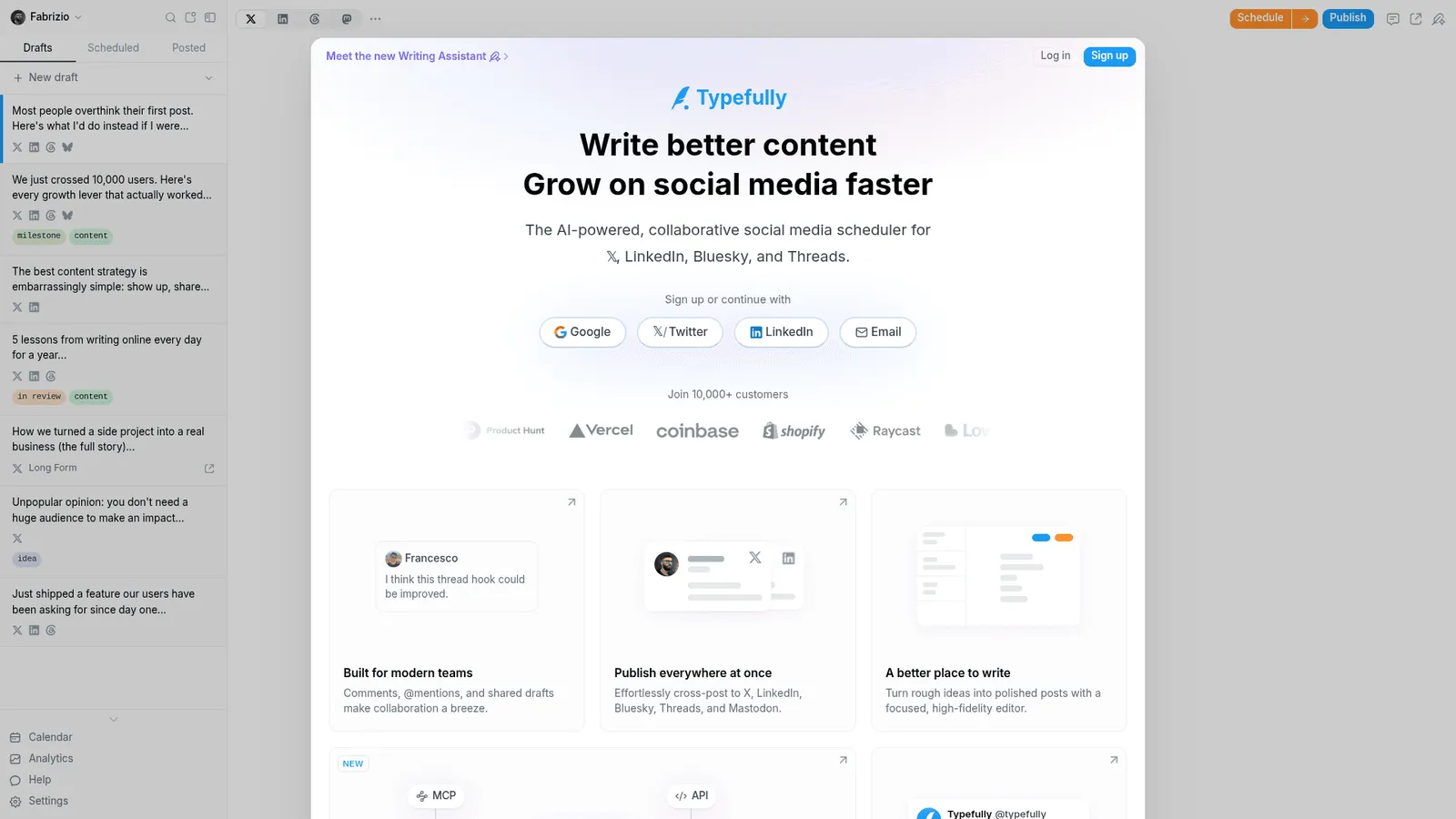
Typefully's writing and scheduling interface, as taken from Typefully
The thread creation flow is purpose-built: write in a distraction-free editor, see a pixel-perfect preview of how your thread renders on X, and schedule it to post at the right time. Auto-numbering handles the 1/5 formatting automatically. The AI writing assistant (available from the $16/month Pro plan) learns your voice and can rewrite, expand, or sharpen individual tweets in the thread.
The analytics side is where Typefully earns its keep for serious creators. The Pro plan tracks impressions, engagement rate, follower growth, and profile conversion rates across your content. You can identify which thread formats work best for your audience and adjust accordingly - something you can’t do if you’re just eyeballing performance in X’s native analytics.
Typefully supports X, LinkedIn, Bluesky, Threads, and Mastodon from one interface. For creators publishing across multiple platforms, that consolidation matters: write once, preview accurately for each platform, schedule to all from a single calendar.
Pricing at a glance:
| Plan | Cost | Posts/month | Key features |
|---|---|---|---|
| Free | $0 | 15 | Basic publishing, pixel-perfect preview |
| Pro | $16/mo per social set | 1,000 | X analytics, AI writing, unlimited media |
| Business | $89/mo per social set | 1,500 | Team collaboration, Slack notifications |
The “per social set” pricing model means costs scale with the number of brand accounts, not team size. The business plan includes unlimited users, which matters for content teams where multiple people need access to the same account.
One honest limitation: the free tier’s 15-post cap runs out fast for active creators. If you’re posting daily threads, the Pro tier at $16/month is effectively the entry point.
Our take: Typefully is the right tool if you’re treating X seriously as a growth channel - scheduling, analytics, and AI writing in one interface. The thread splitting is solid, but it’s one feature inside a larger workflow. If you just need to split text and you’re not scheduling in advance, it’s more tool than you need.
Chirr App
Chirr App has been purpose-built for Twitter threads since 2017 - that’s nine years of iterating on exactly this problem, which shows in the details.
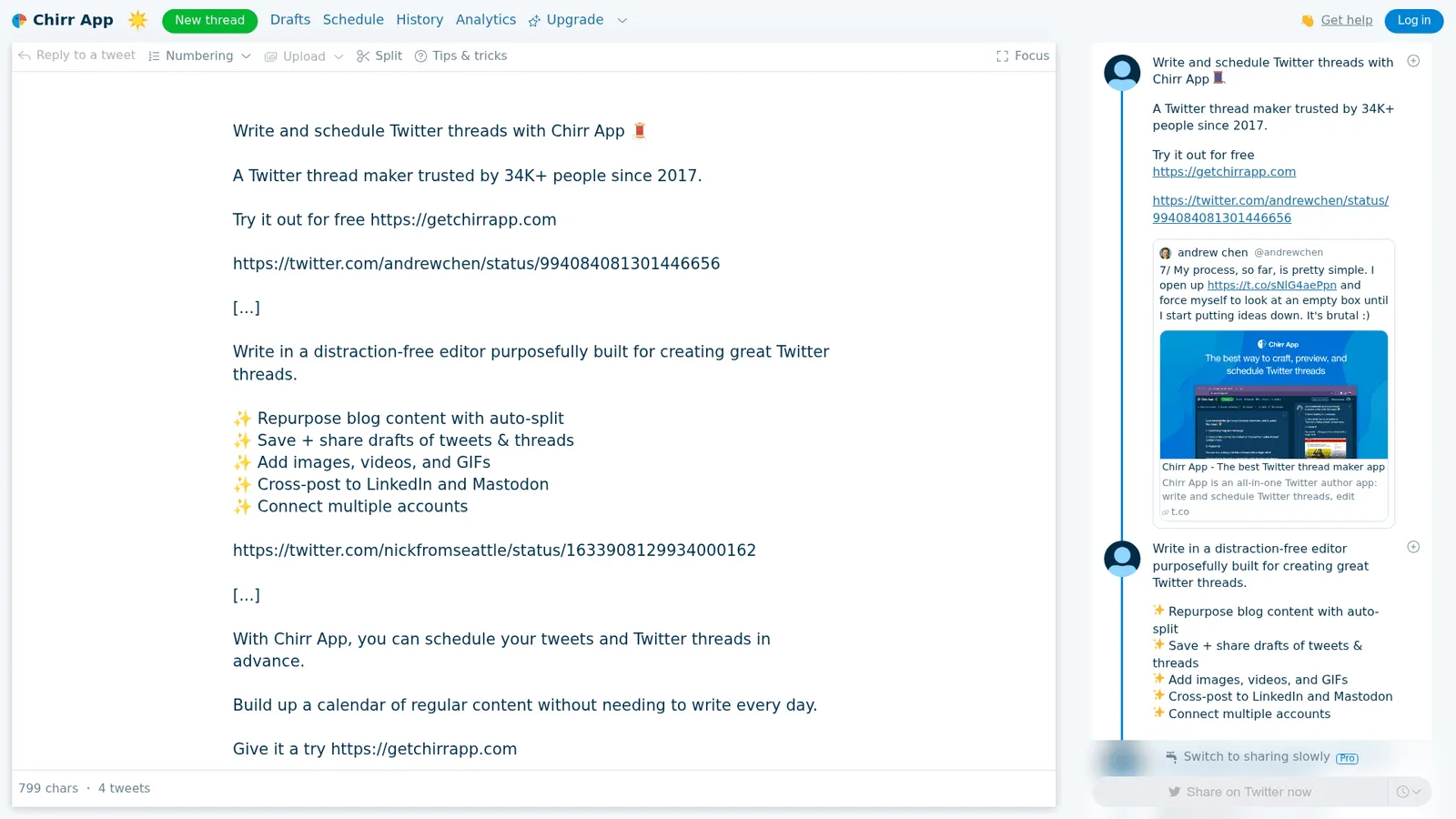
Chirr App's thread editor, as taken from Chirr App
The core feature is automatic text splitting with an intelligent algorithm that makes threads readable, not just technically, under the character limit. More than 34,000 people have trusted it since launch, including notably Andrew Chen (then at a16z), who mentioned using it in a tweet: “My process, so far, is pretty simple. I open up getchirrapp.com and force myself to look at an empty box until I start putting ideas down.”
Chirr App includes scheduling, draft saving, cross-posting to LinkedIn and Mastodon, image/video/GIF support, and analytics. The UX is thread-specific in a way that general social schedulers aren’t - the editor is designed around the rhythm of writing a thread, not adapted from a single-post interface.
There’s a free tier. The paid upgrade adds scheduling in advance, analytics, and team features - though exact pricing wasn’t publicly listed at the time of writing (the upgrade page shows a contact-for-pricing flow for some tiers).
Our take: Chirr App is the choice for anyone whose entire X strategy is threads. Longevity is a trust signal - this isn’t a tool that’ll be gone next year because of API pricing changes, as it survived the 2023 crunch that killed ThreadCreator and others. Compared to Typefully, the narrower focus on threads means a more opinionated editor experience, which some creators prefer.
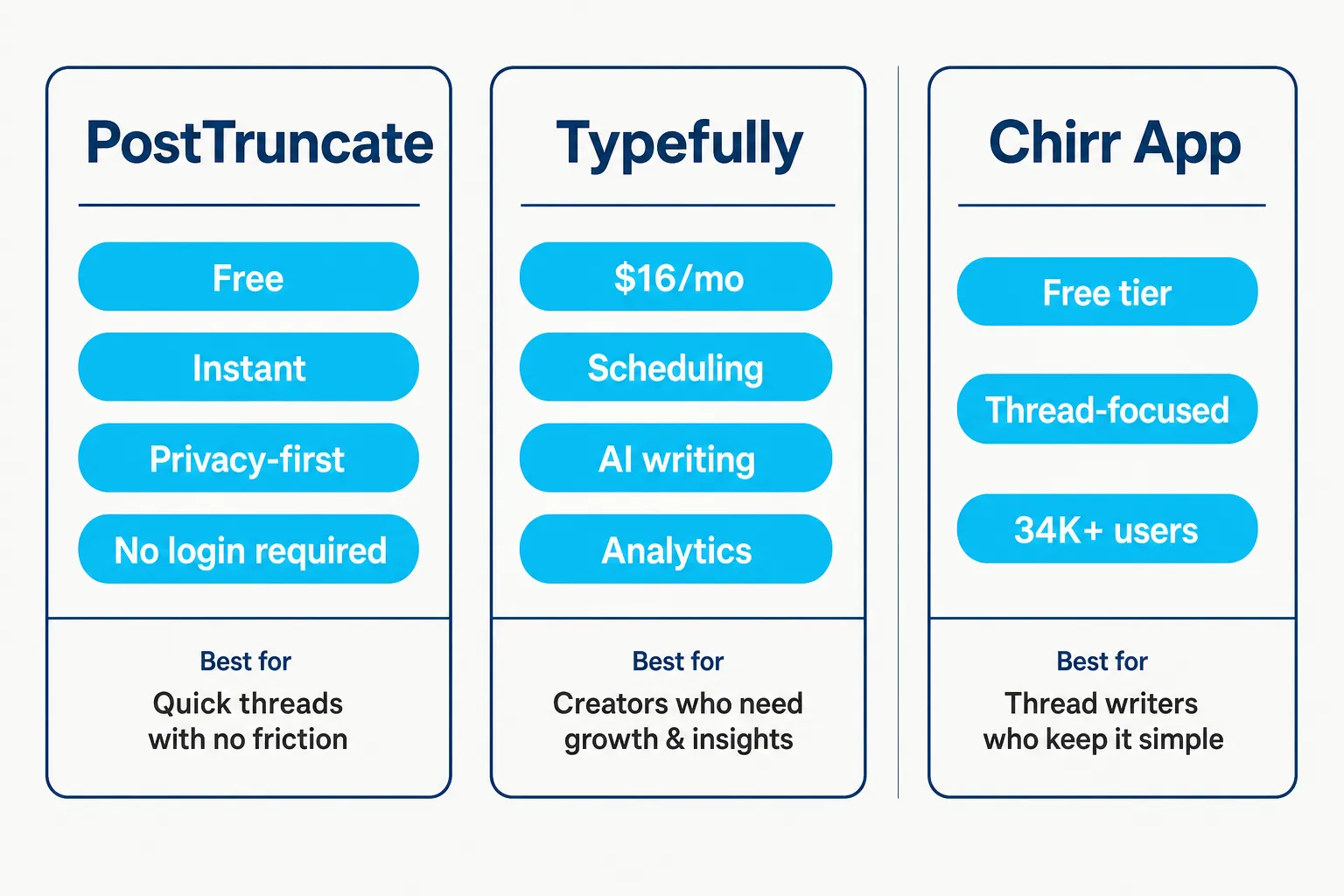
Comparison of PostTruncate, Typefully, and Chirr App for X thread splitting, as taken from PostTruncate
The choice comes down to what you need beyond the split itself.
Use PostTruncate if: You want to check and format a thread quickly without creating an account. You have sensitive content you don’t want uploaded to a third-party server. You want the most accurate character counting (weighted, link-aware, emoji-aware) before you split. You can copy-paste individual tweets manually or into a scheduler of your choice.
Use Typefully if: You need scheduling, multi-platformthosepublishing, and analytics in one tool. You’re a content team and need collaboration features. You want AI-assisted writing that learns your voice. You’re posting across X, LinkedIn, and Bluesky and want one calendar for all of it.
Use Chirr App if: You live in threads - this is your primary format on X and you want an editor built specifically for that workflow. You want the thread-first UX without a general social media tool around it.
| Feature | PostTruncate | Typefully | Chirr App |
|---|---|---|---|
| Free tier | Yes (unlimited) | Yes (15 posts/mo) | Yes (limited) |
| Thread splitter | Yes (auto) | Yes (auto-number) | Yes (intelligent auto-split) |
| Scheduling | No | Yes | Yes |
| Analytics | No | Yes (Pro+) | Yes |
| AI writing | No | Yes (Pro+) | No |
| Multi-platform | No (X only) | Yes (X, LinkedIn, Bluesky, Threads, Mastodon) | Yes (X, LinkedIn, Mastodon) |
| No login required | Yes | No | No |
| Privacy-first | Yes (client-side) | No | No |
| Price | Free | From $16/mo | Free tier + paid |
How to write threads that actually perform
A thread splitter produces a properly formatted thread. It doesn’t produce a well-structured one. That’s still on you.
The most common mistake with threads: treating them as a single essay that got chopped up. Each tweet in a thread should be able to stand alone as a complete thought. If tweet 3 only makes sense because of what tweet 2 said, you’ve written a paragraph and forced it into a thread shape.
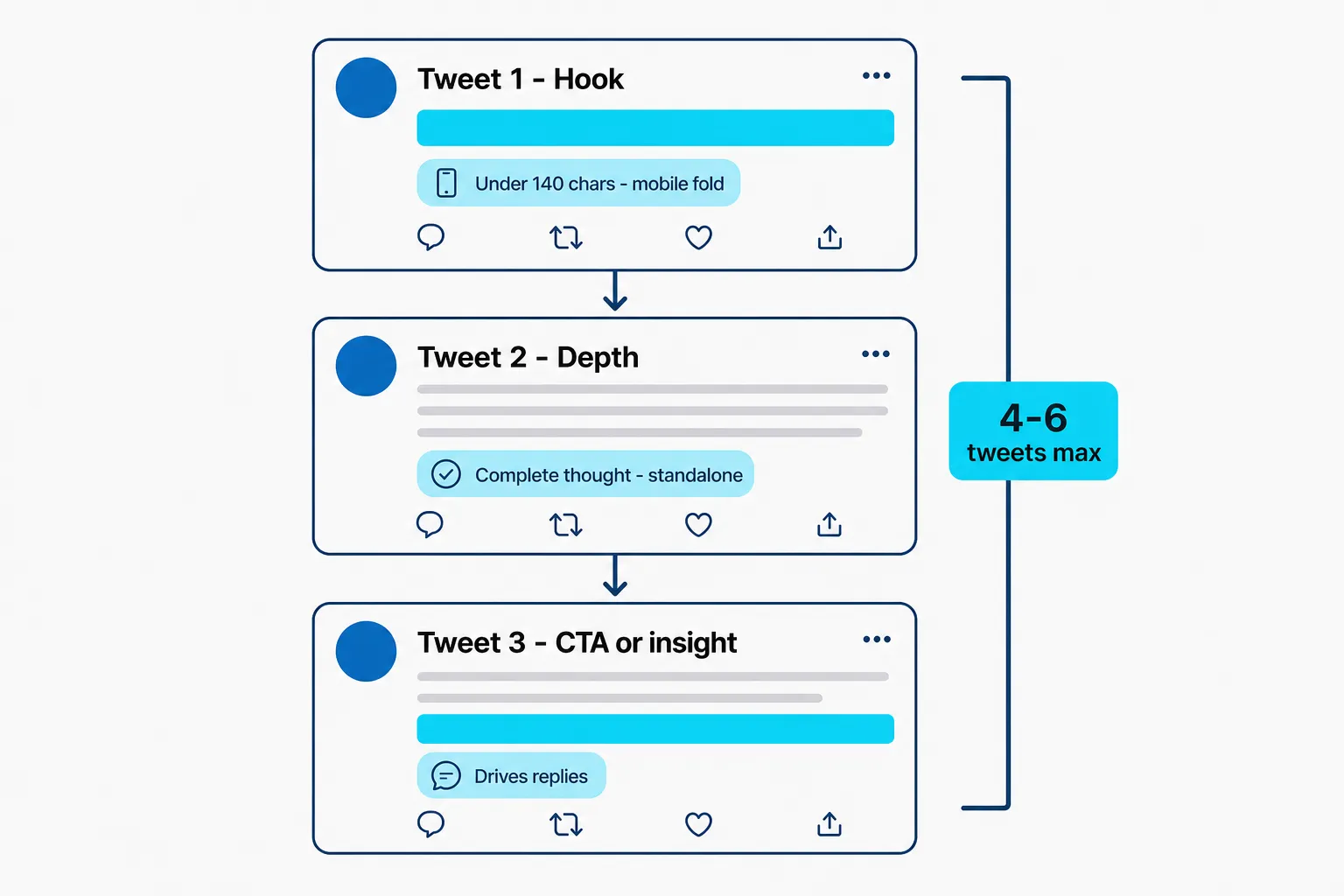
The anatomy of a high-performing X thread: hook, depth, and a strong closer, as taken from PostTruncate
Based on PostTruncate’s X SEO research - testing 200+ posts over three months - a few patterns hold consistently:
The opening tweet is everything. The first tweet is the only one most people see before deciding whether to click “show this thread.” Place the hook and the keyword in the first 140 characters (the mobile fold). Posts that buried the value statement below 140 characters got half the engagement of those that led with the insight.
Four to six tweets are, the sweet spot. Single-focused tweets beat threads by 35% in engagement rate. But threads beat single tweets in total reach because they stay on the timeline longer. Four to six tweet threads capture enough depth to justify the format without losing people by tweet 7. When testing showed that engagement on tweet 5 was already half what tweet 1 got, that’s a signal to wrap up.
Each tweet needs a point. Not a transitional sentence. Not a cliffhanger designed to make people click through. An actual piece of insight or value that stands alone. The threading format is for narrative depth, not for padding a single idea across twelve tweets.
One hashtag at most. X research testing showed 0 hashtags (3.75% engagement rate at 1,200 impressions) and 1 high-relevance hashtag (4.4% engagement rate at 1,150 impressions) performing similarly. Three hashtags dropped to 980 impressions. Ten hashtags: 620 impressions and 2.4% engagement. The algorithm reads hashtag stuffing as spam. Check PostTruncate’s platform limits page for the up-to-date research on what’s working.
Before publishing, run your thread through a character counter to check that every tweet is landing correctly on the mobile fold. What looks clean in your editor can look very different in the actual X feed.
Try PostTruncate
PostTruncate’s Twitter character counter is the fastest way to see exactly how your long post splits into a thread - no account, no data uploaded, no cost. Paste your draft, and the thread splitter activates automatically when you cross 280 characters, showing numbered tweets broken at sentence boundaries and accounting for X’s real weighted character system.
If you’re also writing for LinkedIn, Facebook, or other platforms, the main character counter shows simultaneous previews for all of them - including where each platform cuts off your text with their mobile folds. The platform limits reference is worth bookmarking if you’re regularly posting across multiple channels.
For more on X reach strategy, once your threads are properly formatted, the PostTruncate X SEO guide covers keyword placement, thread length testing, and timing - all from direct testing rather than recycled best-practices content. And if LinkedIn is part of your content mix, the guide to surviving the LinkedIn feed fold covers the same invisible-truncation problem for that platform.
FAQs
What is the best free tool to automatically split long tweets into a thread?
PostTruncate's Twitter character counter includes a built-in thread splitter that's completely free with no login required. Paste your text, and it automatically breaks your post into numbered tweets at sentence boundaries. For scheduling on top of splitting, Typefully's free tier allows 15 posts per month.
How does an X thread splitter tool know where to break tweets?
Good thread splitters break at sentence boundaries, not mid-word or mid-clause. PostTruncate splits at sentence or word boundaries and keeps each tweet under the 280-character limit, accounting for X's weighted character system where emoji count as 2 and links always cost 23 characters via the t.co wrapper.
Does PostTruncate's thread splitter post directly to X/Twitter?
No - PostTruncate is a character counter and formatter, not a publisher. It splits and formats your thread so you can copy each numbered tweet and paste it into X manually or into a scheduler like Typefully. That said, PostTruncate's tool is the fastest free option for seeing how your post splits before you commit to publishing.
How long should a Twitter/X thread be for best engagement?
Based on testing covered in PostTruncate's X SEO guide, threads of 4-6 tweets hit the sweet spot - long enough for depth, short enough to hold attention. Single focused tweets still outperform long threads in engagement rate (likes + retweets per impression) by about 35%, so use threads for narrative that genuinely needs the space, not to pad a post that could land in one tweet.
What happened to dedicated Twitter thread tools after the API pricing changes?
X's 2023 API pricing changes killed several thread-specific tools. ThreadCreator (formerly at ThreadStart.io) shut down explicitly because API costs exceeded revenue. TweetDuck's domain is now for sale. The tools that survived either diversified across multiple platforms (like Typefully, which supports LinkedIn, Bluesky, and Threads) or built client-side tools that don't depend on the X API at all (like PostTruncate).



Join the discussion
Comments are reviewed before they appear, so yours won’t show up right away.