



LinkedIn character limits 2026: every limit you need to know
A complete reference for every LinkedIn character limit in 2026 - posts, profiles, headlines, comments, articles, company pages, job postings, and more.
 By Anirudha Published
TL;DR
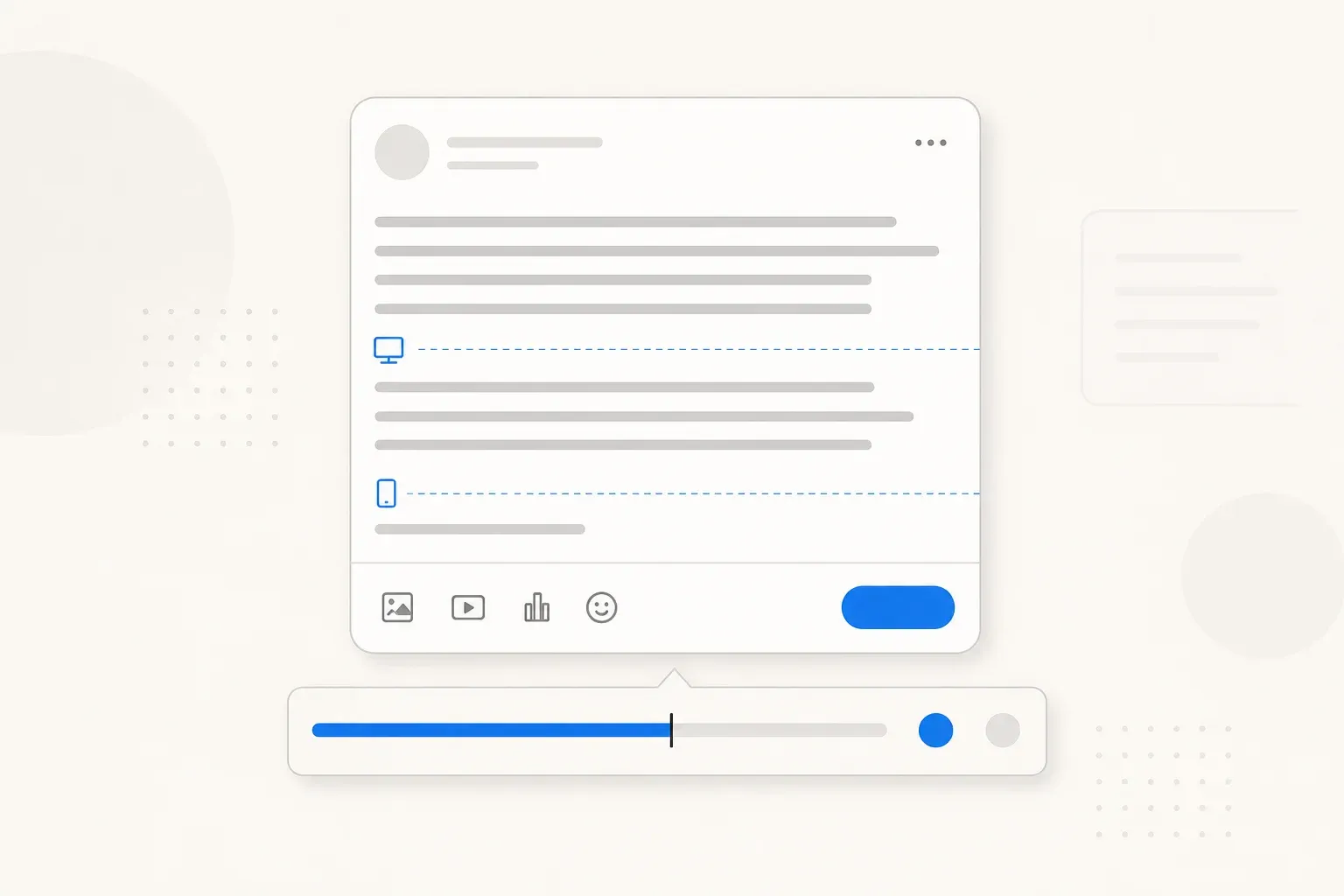
LinkedIn character limits span way more than the 3,000-character post limit most people know about. Your profile headline is capped at 220 characters, your About section at 2,600, comments at 3,000, connection request notes at just 300, and job postings at 15,000. For feed posts, though, none of those numbers matters as much as the invisible fold at ~140 characters on mobile, where most of your audience gives up reading without ever tapping “see more.” PostTruncate’s LinkedIn counter shows every fold line live as you write - free, no sign-up.
Every LinkedIn character limit at a glance
Before the detail, here’s the full table. Bookmark this, because it covers every spot where LinkedIn will stop accepting your input or cut your content short.
| Feature | Character limit | Notes |
|---|---|---|
| Post/text update | 3,000 | Mobile fold ~140, desktop fold ~210 |
| Comment | 3,000 | Same fold as posts |
| Article title | 255 | Keep under 80 for social sharing |
| Article body | 100,000 | Effectively unlimited |
| Profile first name | 20 | - |
| Profile last name | 40 | - |
| Profile headline | 220 | ~100 chars show in notifications |
| Profile About | 2,600 | - |
| Profile URL slug | 30 | Alphanumeric and hyphens only |
| Connection request note | 300 | - |
| Direct message | 20,000 | Effectively unlimited |
| Company name | 100 | - |
| Company tagline | 220 | - |
| Company description | 2,000 | - |
| Job title | 250 | Keep under 80 for search visibility |
| Job description | 15,000 | - |
| Hashtag (per tag) | 30 chars | 3-5 per post is recommended |
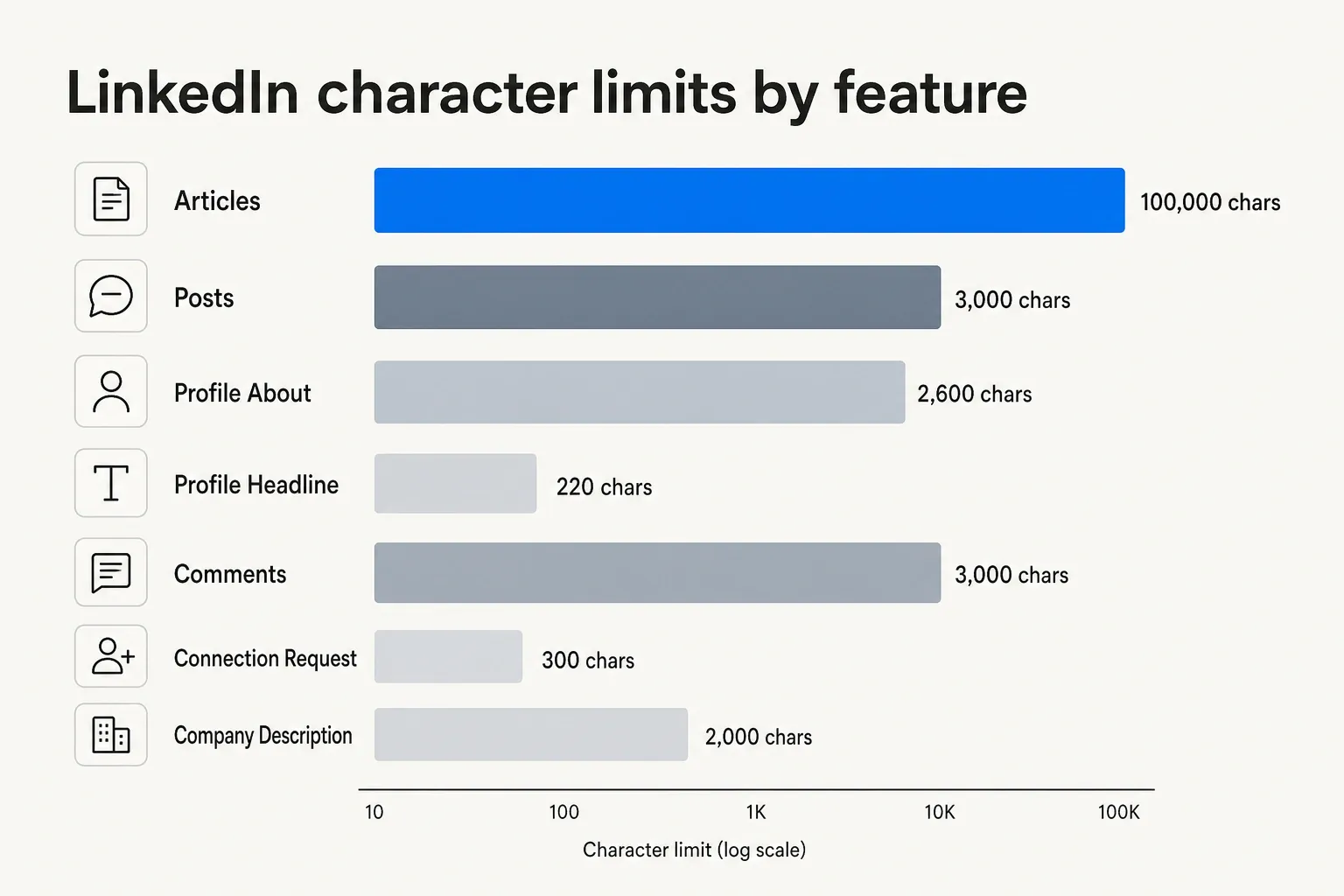
LinkedIn character limits by feature type, showing the scale from 100-character company names to 100,000-character articles
Now let’s go through each area in depth, starting with the one that trips up the most people.
LinkedIn post character limit: 3,000 characters (and the fold that matters more)
LinkedIn will accept up to 3,000 characters per text post - enough room for a detailed case study, a numbered list, or a short opinion piece. Most creators never hit the ceiling.
What they do hit, constantly, is the feed fold.
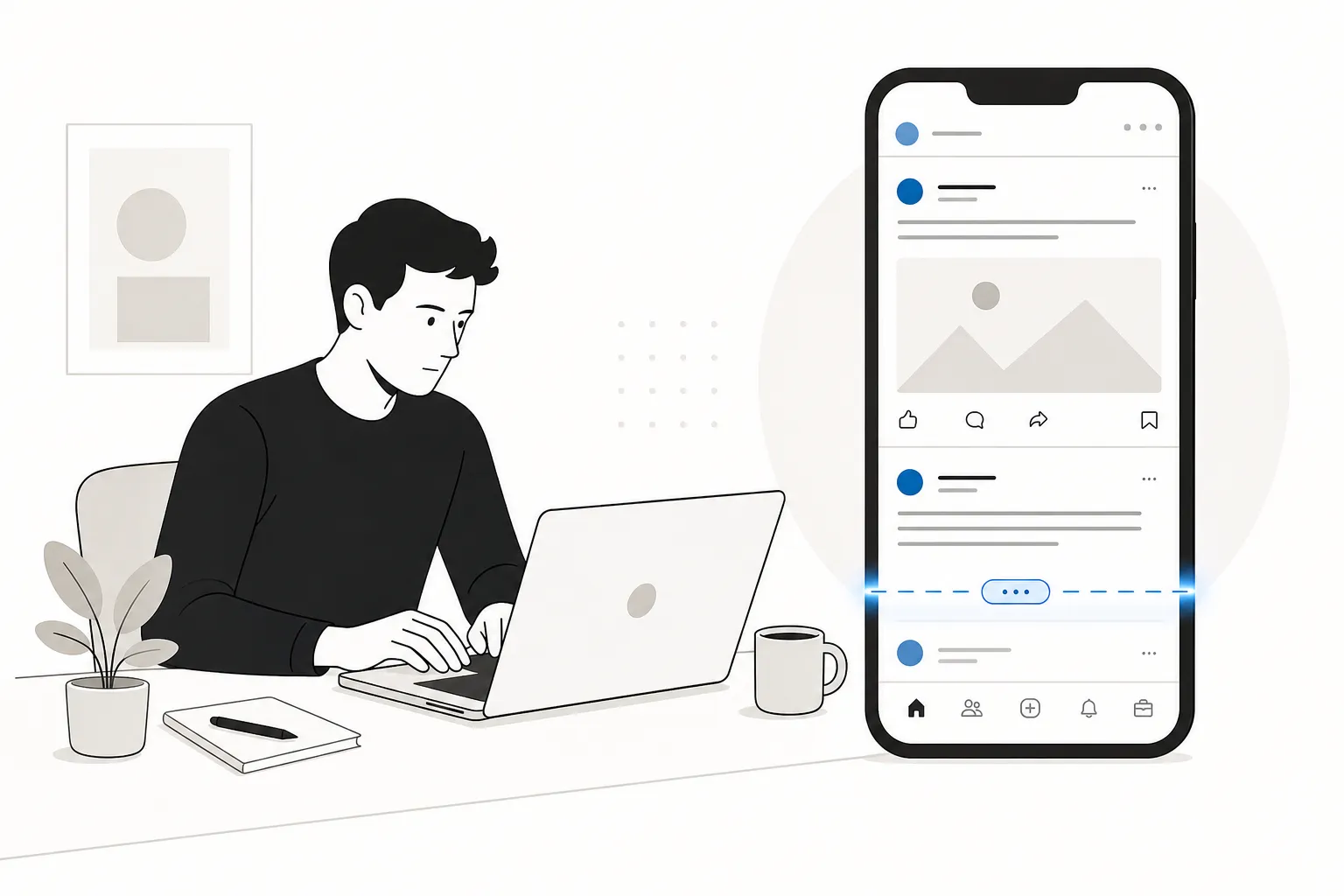
LinkedIn collapses post text in the feed after approximately 140 characters on mobile and 210 characters on desktop - everything after that hides behind a “…see more” link. Since over 60% of LinkedIn’s active users browse on mobile, the 140-character threshold is the real limit that determines whether your audience reads your post or scrolls past it.
The pattern shows up in community discussions constantly: writers put real thought into a post, hit publish, and watch it underperform because their audience never saw the good part.
Posts where the main value is buried below the fold see 40-60% lower engagement than posts that deliver their core message within the first 140 characters. The algorithm picks up on engagement in the first hour - likes, comments, early shares - and that window closes before most people have clicked “see more.”
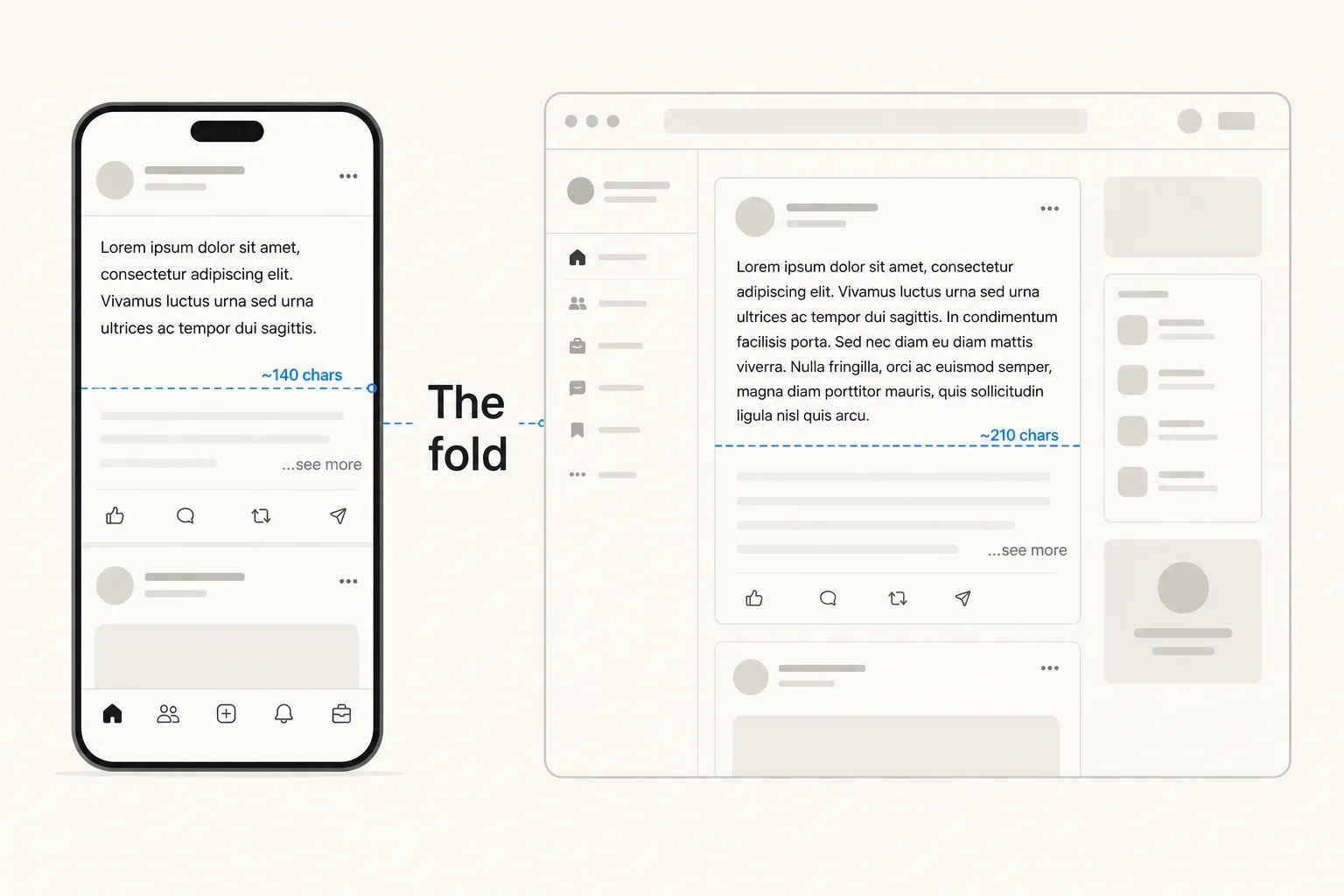
Side-by-side comparison of LinkedIn's mobile fold (\~140 chars) versus desktop fold (\~210 chars), showing where posts get cut on each device
The practical rule: write your first sentence as a complete, standalone statement. Not a teaser, not a preamble - a full thought that delivers real value. “We cut our onboarding drop-off by 40% by removing one field” works at 140 characters. “Here’s something I’ve been thinking about lately…” does not.
PostTruncate’s LinkedIn character counter renders both fold markers live as you type, so you can see exactly which words fall in the mobile window and which disappear behind “see more” before you hit publish.
PostTruncate’s LinkedIn character counter shows live fold markers as you draft your post
For a full breakdown of how to write posts that work within these constraints, see our guide on how to write LinkedIn posts that survive the fold.
LinkedIn profile character limits
Your LinkedIn profile has multiple distinct character limits across different sections. None of them has folds in the same way posts do, but several have practical visibility windows that are shorter than the hard limit suggests.
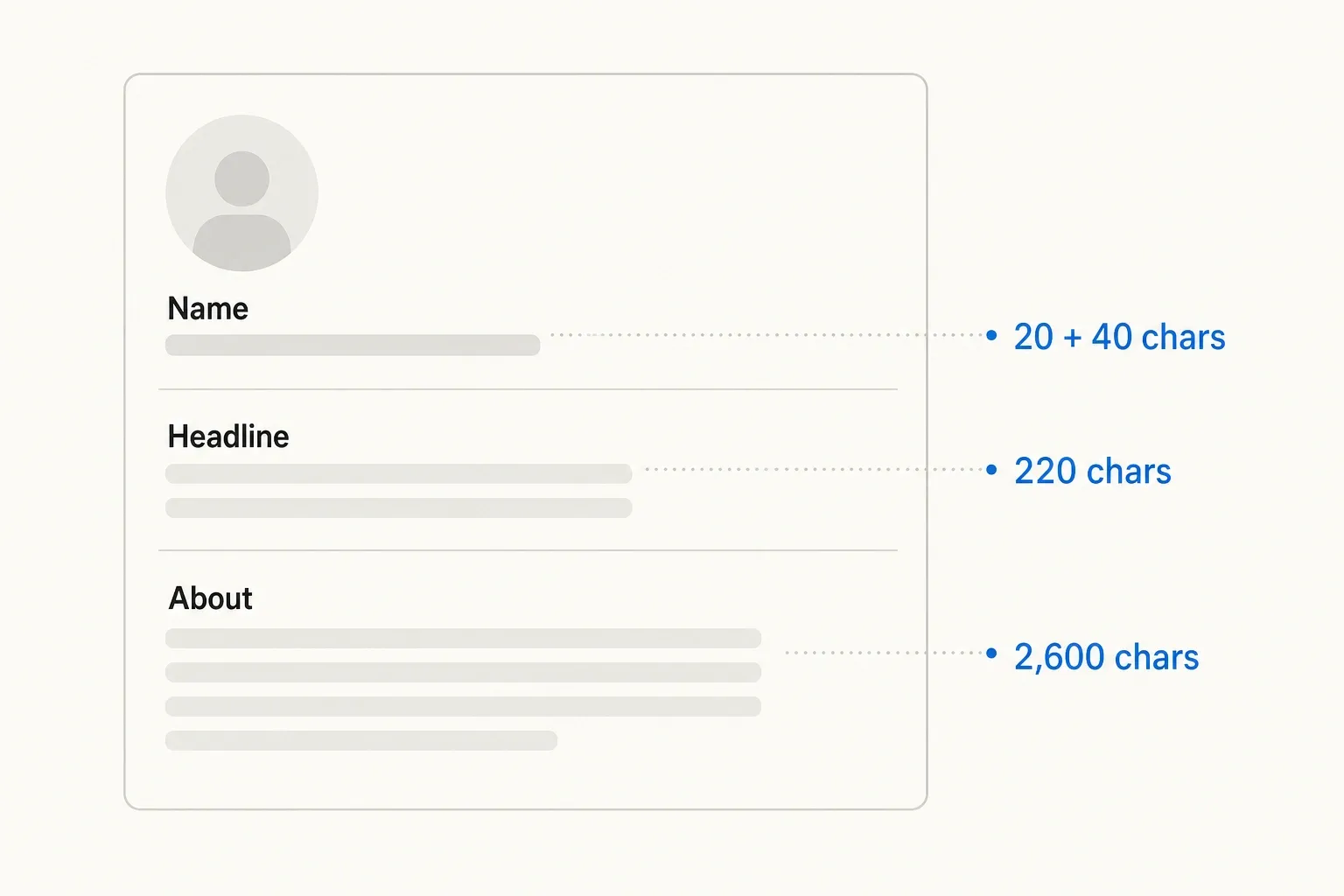
LinkedIn profile layout with labelled character limits for each section - name, headline, and About field
Headline (220 characters)
Your headline is the line of text that appears directly below your name - on your profile, in search results, in connection notifications, and when your comment appears on someone else’s post. LinkedIn’s hard limit is 220 characters.
The practical limit is shorter. Notifications and many search result previews truncate the headline at roughly 100 characters. That’s where you want your most important identifier - your job title, your specialisation, or the keyword recruiters search for.
Common patterns that work well within 100-120 characters:
Senior Software Engineer | Python · AWS · Distributed Systems(63 chars)Head of Content @ Acme | LinkedIn & SEO(41 chars)Founder | B2B SaaS | Helping ops teams cut tool sprawl(56 chars)
Use pipes | as visual separators. Include terms people actually search for - “Software Engineer” ranks better than “Technology Professional.”
About / Summary (2,600 characters)
The About section is where your profile has the most room: 2,600 characters, or roughly 400-500 words. LinkedIn collapses it on profile views after a few lines - readers have to click “see more” to see the full text, similar to the post fold.
Most people read only the first 150-200 characters of your About section before deciding whether to expand. Write the first two sentences as if they’re the only two sentences: who you are, what you do, and why that matters to the person reading your profile.
The practical rule that comes up across LinkedIn optimisation communities: write your first 150 characters as the hook. That’s what shows without scrolling. Everything below it has to earn the scroll.
The rest of the 2,600 characters is valuable - use it for specifics, links to your work, a call to action - but don’t make it a wall of text. Short paragraphs and line breaks make it scannable.
Name fields (20 + 40 characters)
First name: 20 characters. Last name: 40 characters. LinkedIn enforces these strictly. For most people, this is a non-issue, but if you want to append credentials like “PhD” or “MBA” after your last name as some users do, factor those into the 40-character count.
Comments follow the same rules as posts: 3,000-characterpersonalised hard limit, with the feed folding at approximately 140 characters on mobile and 210 on desktop before showing a “see more” option.
For brief reactions, this is plenty. For substantive replies, the fold means your opening sentence needs to carry the weight of the argument - readers may never expand a long comment unless that first line convinces them to.
This matters more than it sounds. A detailed, well-researched comment can add real value to a post’s thread and surface your profile to new audiences - but only if people actually read it. Front-load the best part.
Connection request and message limits
Connection request note (300 characters)
When sending a connection request to someone you’re not already connected with, you can include a personalised note of up to 300 characters. Use it.
Connection requests with personalised notes get accepted at roughly twice the rate of default requests. At 300 characters, you have just enough room to name how you know the person or why the connection makes sense. Keep it under 100 characters if you can - specificity beats length.
What works: "Saw your post on hiring strategy last week - really resonated. I'm leading ops at [X] and running into the same problem. Would love to connect."
What doesn’t: a 280-character sales pitch, a list of credentials, or anything that reads as templated.
Direct messages (20,000 characters)
LinkedIn direct messages and InMail are capped at 20,000 characters - effectively unlimited for any practical conversation. No character count indicator appears in the compose window, which is a hint that LinkedIn doesn’t expect you to be watching this limit.
The relevant number isn’t the character count; it’s response rates. Shorter, more specific messages get replies. Most LinkedIn operators who run outbound at scale keep first messages under 500 characters.
LinkedIn company page character limits
Company pages have their own set of limits, distinct from personal profiles.
Company name: 100 characters. Once set, the company name can’t be changed, and it must be unique across all LinkedIn company pages. Choose carefully.
Company tagline: 220 characters. This is the subtitle that appears under your company name on the page - same limit as personal profile headlines. It’s where you communicate what your company does in one line. Keep it under 100 characters for notifications and search previews.
Company description: 2,000 characters. The About section for company pages is slightly smaller than personal profiles (2,600 chars). LinkedIn collapses it on the page view, so the same rule applies: front-load the most important information in the first 200 characters.
LinkedIn article character limits
LinkedIn’s native publishing platform (Articles) is where the platform’s character limits get genuinely generous.
Article body: 100,000 characters. This is roughly 15,000-20,000 words - more than enough for any blog post, deep-dive analysis, or long-form guide. Unlike feed posts, line breaks and formatting don’t count toward the article limit.
Article title: 255 characters. Keep it under 80 characters for clean social sharing and search visibility - the same logic that applies to Google SERP titles.
The catch: articles receive significantly less algorithmic reach than posts. LinkedIn surfaces posts heavily in the feed; articles require readers to actively visit your profile or click a link. The strategy that works: write a short, tight post with a compelling hook and a link to the article. The post gets reach; the article provides depth for the readers who click.
LinkedIn job posting character limits
Job postings have their own distinct limits, most of which exist far above what anyone actually needs.
Job title: 250 characters. Search and feed previews typically show 70-80 characters, so keep the title that short - everything beyond that is likely cut. Include level and specialisation: “Senior Software Engineer - Python/AWS” outperforms “Versatile Technical Professional.”
Job description: 15,000 characters. LinkedIn recently expanded this from 3,000. The practical sweet spot is 500-1,500 characters with clear formatting. Longer descriptions don’t perform better - candidates scan, not read, and a wall of text signals poorly about company culture.
Hashtag rules on LinkedIn
Hashtags on LinkedIn behave differently from Instagram or Twitter/X. There’s no hard cap on how many hashtags you can include in a post, but LinkedIn’s algorithm is known to deprioritise posts with more than 5 hashtags.
Individual hashtags can be up to 30 characters, over-optimised, including the # symbol. They must start with a letter, can include letters and numbers, but can’t include spaces or most special characters.
Social media managers who’ve run reach tests on the same content with varying hashtag counts consistently find that 3 targeted hashtags outperform 10 generic ones. The extra tags don’t multiply distribution - they seem to signal to the algorithm that the post is lower-quality or over-optimised.
The effective strategy: 3-5 highly specific, searchable hashtags rather than 10 generic ones. A hashtag like #B2BSaas that actually has an audience will outperform #business every time.
What these limits mean in practice
Most LinkedIn character limits exist well above what any reasonable content strategy actually needs. The 3,000-character post limit, the 100,000-character article limit, the 15,000-character job description - these rarely create problems.
The limits that create problems are the small ones:
- 140 characters - the mobile fold on posts and comments, where your engagement is won or lost
- 220 characters - the headline limit that shapes your professional discoverability
- 300 characters - the connection request note that either personalises or wastes the ask
- 2,600 characters - the About section where the first 150 characters do all the work
Knowing these numbers doesn’t guarantee better content. But knowing where your audience will stop reading is the one constraint worth optimising for before every post.
All platform limits in one place
If you’re also managing paid campaigns, note that Sponsored Content has completely different truncation rules. You can use our LinkedIn Ad Preview simulator to test your ad copy and ensure your headlines and descriptions don’t get cut off prematurely.
For Twitter/X (280-character hard limit), Facebook (63,206 characters with a ~110-char mobile fold), Instagram (2,200 characters with a ~125-char fold), Threads (500 characters), and SMS (160 GSM characters), see the full platform limits table.
Try PostTruncate
PostTruncate is a free, browser-based character counter that shows LinkedIn’s mobile and desktop fold markers live as you type - so you know exactly where “…see more” cuts your post before publishing. It handles all platforms in one workspace: LinkedIn, X/Twitter, Instagram, Facebook, Threads, and SMS, plus a Google SERP preview for page titles and meta descriptions. Everything runs locally in your browser - no upload, no account, completely free. Bloggers and educators can also embed the counter widget directly on their own sites via a free iframe embed.
PostTruncate LinkedIn character counter showing real-time fold markers and character count
FAQs
What is the LinkedIn character limit for posts?
LinkedIn text posts are capped at 3,000 characters. But the more important number is the feed fold: LinkedIn collapses posts after approximately 140 characters on mobile and 210 characters on desktop, hiding everything else behind a '…see more' link. Use PostTruncate's LinkedIn character counter to see both fold lines live as you type.
How long can a LinkedIn profile headline be?
Your LinkedIn headline - the line of text directly below your name - can be up to 220 characters. In practice, most people keep it under 100-120 characters, since notifications and search result previews often show only the first 100 characters. Include your most searchable keywords first.
LinkedIn comments share the same 3,000-character hard limit as posts. The feed also applies the same fold: roughly 140 characters on mobile before a '…see more' link collapses the rest. If you're leaving a substantive comment, front-load your main point in the first sentence.
How long can a LinkedIn connection request note be?
A LinkedIn connection request note is limited to 300 characters. Most connection requests that actually get accepted land at 50-100 characters - enough to personalise, not enough to write an essay. Skip the generic defaults: name how you know the person, or why the connection makes sense, in plain language.
Is there a character limit for LinkedIn articles?
LinkedIn articles support up to 100,000 characters in the body - effectively unlimited for any reasonable blog post or thought-leadership piece. The article title is capped at 255 characters, though keeping it under 80 helps with social sharing. The catch: articles get significantly less algorithmic reach than posts, so pair them with a short post that hooks readers into clicking.
Join the discussion
Comments are reviewed before they appear, so yours won’t show up right away.