



Threads 500 vs 10,000: When to Use Text Attachments
Threads evolved from short-form to micro-blogging. Learn when to use 500-character feed posts vs 10,000-character text attachments-and the strategic tool every creator needs.
 By Anirudha Published
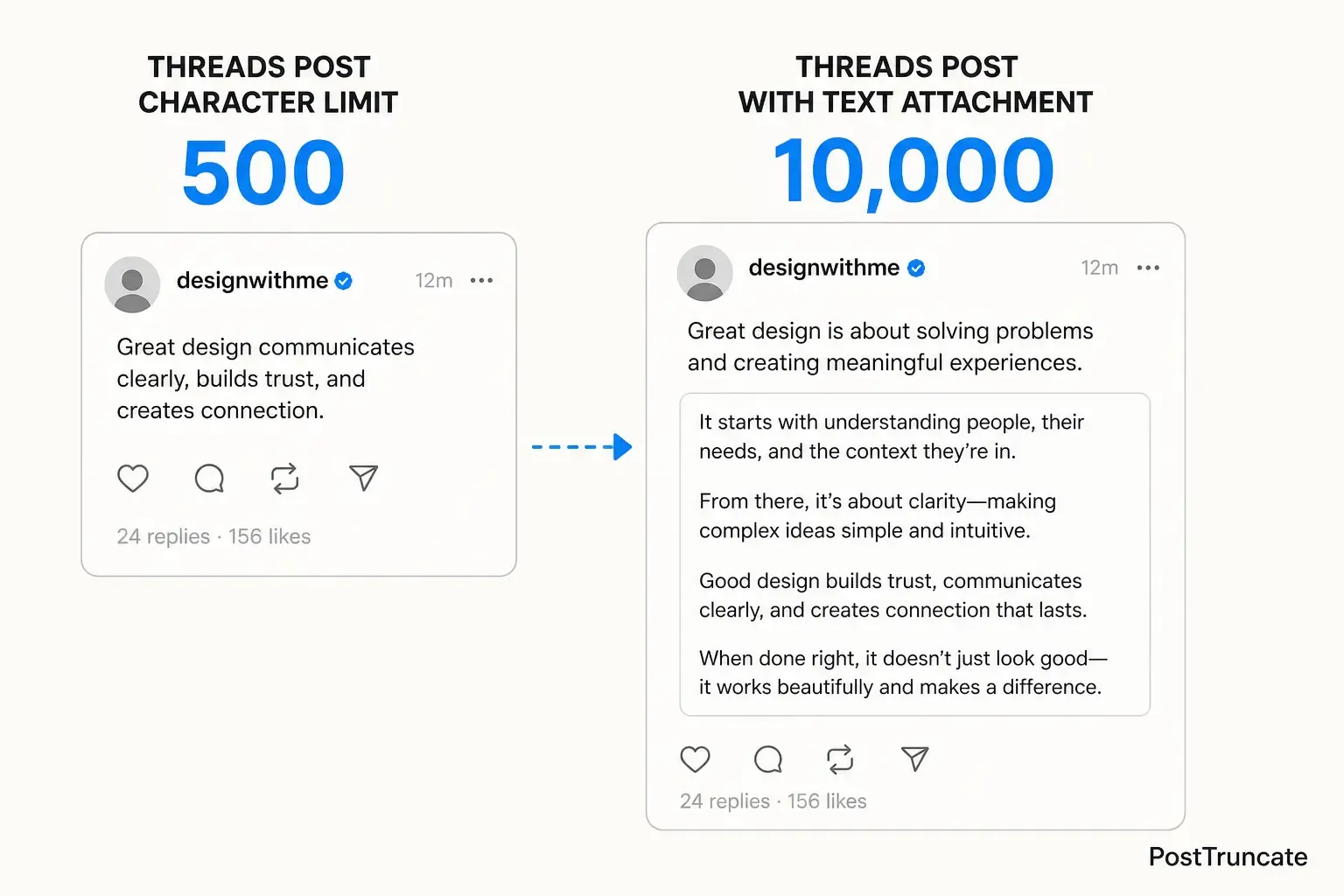
TL;DR
Threads started as a short-form app but silently morphed into a micro-blogging platform thanks to the 10,000-character text attachment feature. A 500-character feed post gets immediate, frictionless visibility as users scroll - but requires clear, punchy writing. A text attachment bypasses the 500-character limit but requires a tap-to-expand action that drops engagement significantly. The strategic choice: use 500-character posts + threaded replies for reach, or text attachments for deep-dive essays and newsletter-style content. To make this choice tactically, you need to know exactly when you cross the 500-character threshold - which is where a character counter that understands Threads-specific rules becomes essential.
Threads evolution: short-form to newsletter powerhouse
When Threads launched in July 2023, it looked like Instagram’s answer to X - a short-form, fast-paced social feed. The 500-character limit felt like a hard constraint designed to keep the platform snappy and conversational. But Threads’ actual use case quietly shifted over the following months. Creators started showing up not for quick takes but to build a real audience, publish multi-post threads on substantive topics, and distribute longer-form writing directly in the app.
The 10,000-character text attachment feature, rolled out alongside these shifting creator needs, isn’t a small footnote in Threads’ roadmap - it’s a fundamental feature that splits the platform into two distinct writing formats, each with different engagement profiles and strategic purposes.
Most creators writing on Threads don’t think about this distinction clearly enough. They either max out the 500 characters and manually split, or they paste 2,000 words into a text attachment, and hope the reach follows. Neither is a strategic choice.
The core difference: feed visibility vs. depth
Here’s where the two formats diverge in ways that matter for your reach:
500-character feed posts live fully visible as users scroll. No extra friction. Someone skimming their feed sees your complete message, your hook, your call-to-action - all at once. The post either lands or it doesn’t, but the reader makes that judgment in real time as they scroll. The entire post exists in the feed impression.
10,000-character text attachments require a tap. The reader sees a preview (usually the first line or two), then “See more” or a similar CTA. Only users who actively tap expand the full text. This is a permission boundary. Threads doesn’t show the full attachment in the feed the way it shows a 500-character post. You get initial visibility, but the reader has to decide to engage deeper before they see your actual content.
The engagement math is stark: tapping is friction. It’s not a dealbreaker, but it’s a measurable drop-off compared to a post that lives fully in the feed. A scrolling user will read a 500-character post with zero additional effort; the same user will tap into a text attachment only if the preview (that first line) is compulsively clickable.
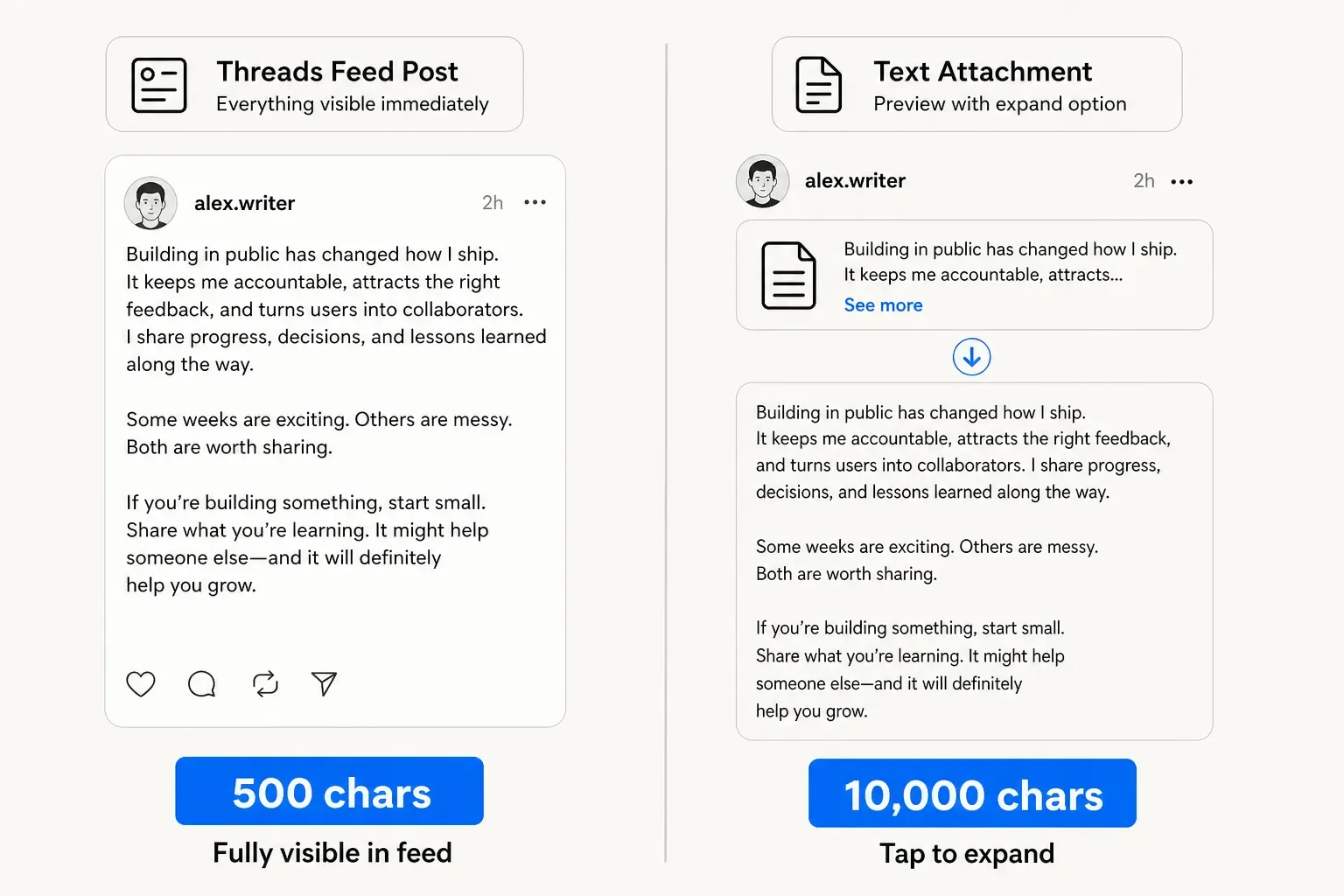
Threads post formats side-by-side: 500-character feed post fully visible in scroll, 10,000-character text attachment requiring tap-to-expand
When feed posts win
You want immediate, large-scale reach. A sharp 500-character post with a genuinely interesting opening line will reach more people than the same content buried in a text attachment, because the feed does the work for you. Reach starts at the scroll, not at the tap.
Your writing can breathe in a tight format. Constraints force clarity. If your idea lands in 500 characters, the feed post is almost always the stronger move. Threads’ audience has developed an ear for the snappy, conversational style that thrives in short-form - trying to pack a full essay into a text attachment often reads as reluctant or rambling.
You’re building a threaded conversation. A punchy opening post followed by numbered replies lets readers who tapped in see the full argument. The first post carries the reach; subsequent posts reward engaged readers. This is where the platform actually shines - it’s one of the few spaces where a genuine multi-post argument can unfold in public without feeling like spam.
When text attachments win
You’re publishing a newsletter-style piece or deep dive. If your piece needs 1,500+ words to say it properly - a structured guide, a personal essay, a how-to - forcing it into threaded 500-character segments feels forced. A single text attachment lets readers engage with the full piece in one sitting.
Your audience is there specifically for long-form. Some Threads communities have built around in-depth discussion. If your followers are there to read your 2,000-word essays, a text attachment gives them exactly that without scroll-chasing through 4 chained posts.
You’re repurposing newsletter or blog content. If you’ve written something for email or your blog, a text attachment is an easier reuse than threading it out. Copy, paste, format - done.
Here’s the nuance that catches most creators off guard, especially if they write on X first and then move to Threads.
On X, every link is collapsed to exactly 23 characters via the t.co shortener. A link to an 85-character URL counts as 23 characters. This is baked into how X writers think about character budget.
On Threads, links count at their full, visible length.
Paste a 75-character URL into Threads, and you’ve just burned 75 of your 500 characters - not 23. Add two links, and you might have 350 characters left for actual words. Writers who habitually draft on X first get surprised constantly: “This fit on X, why is it overflowing on Threads?”
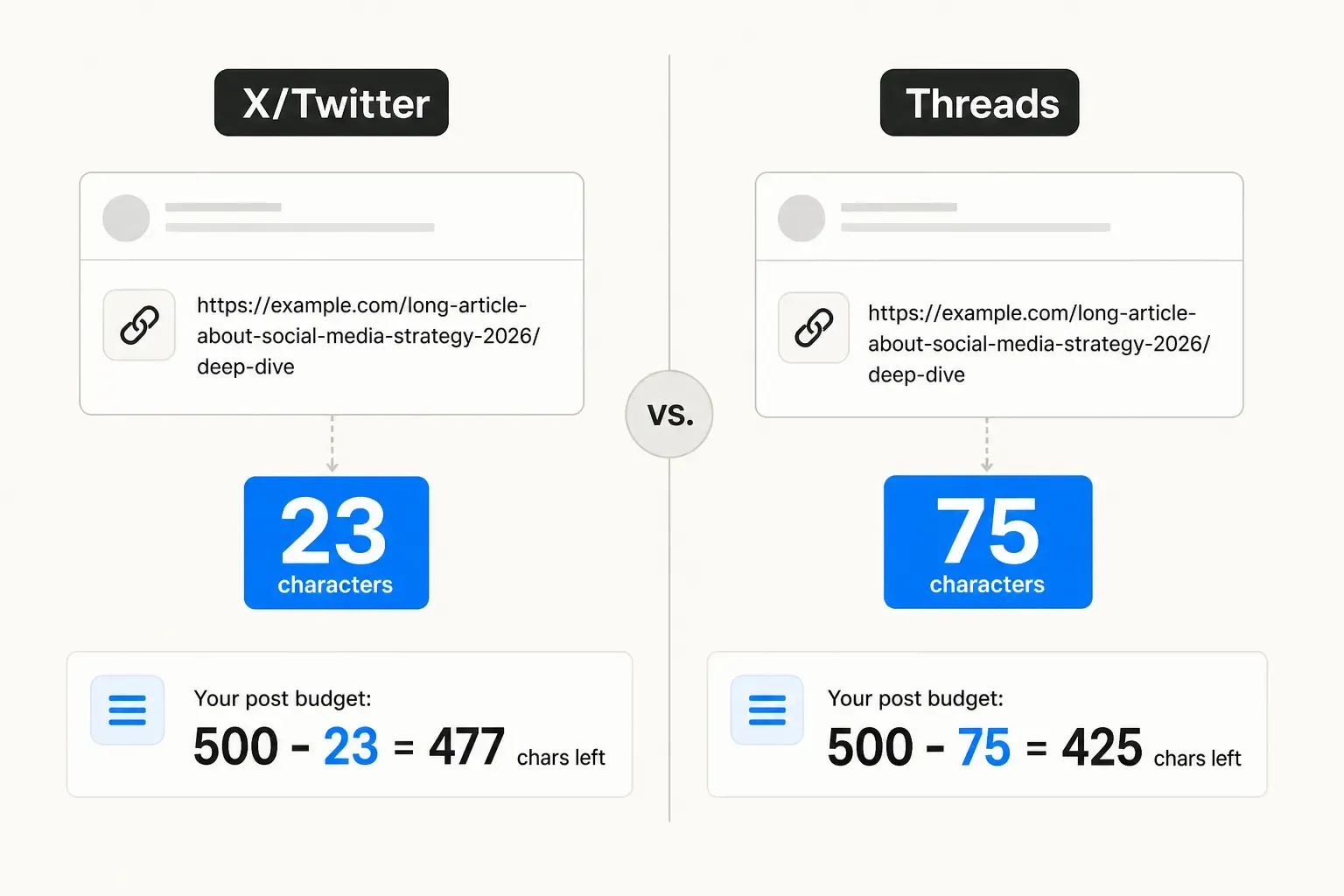
Comparison: URL counting on X (23 characters flat) vs Threads (full URL length)
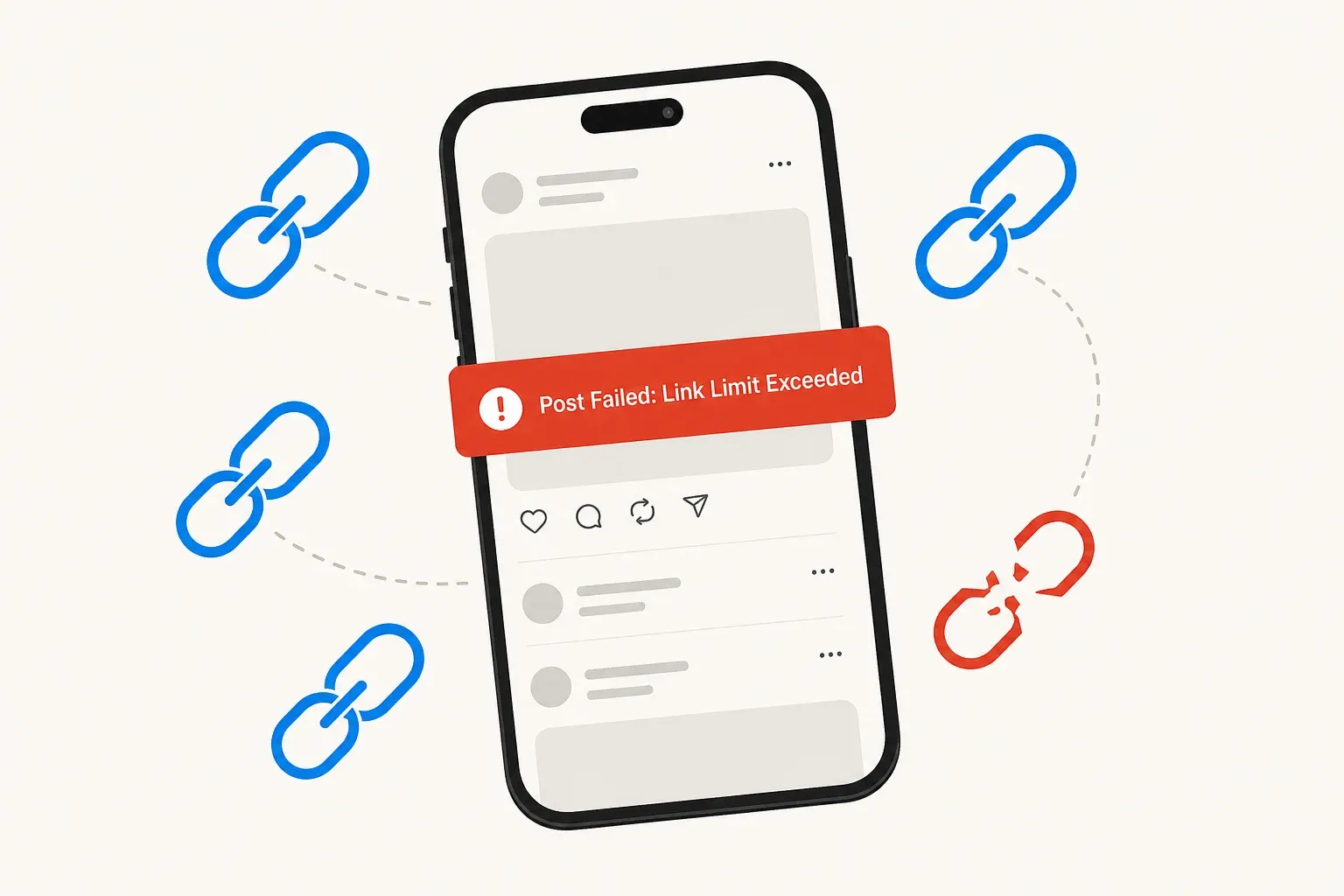
There’s a second silent killer: invisible Unicode characters - zero-width spaces, regex lookarounds, and other non-printing characters that bloat your true character count without adding visible text. They break character counters that don’t understand them, and they can push you silently over the 500-character limit right before you hit publish.
A character counter that understands Threads’ actual rules - full-length link counting and invisible-character detection - isn’t a luxury; it’s the difference between posting confidently and discovering your post was truncated after publishing.
Strategic decision framework
Before you write, ask yourself one question: Does my message need a tap, or should it live in the feed?
If your opening line is strong enough to make someone tap, a text attachment can work. If your full message fits in 500 characters and says what needs saying, the feed post wins almost every time - reach is automatic.
If you’re writing something between 500 and 2,000 characters, you have a real choice:
- Thread it (500-char posts, numbered as needed). The first post carries all the feed reach; subsequent posts reward readers who tap in. Better reach, but more fragmented reading experience.
- Attach it (single 10,000-char block). Readers who tap see the complete piece. Smaller initial reach, but better reading experience for engaged readers.
The honest take: the threaded approach usually wins for reach. But if your audience is there for depth and patience, the text attachment can perform well too. The difference is in what you’re optimising for - feed impression share, or time-on-page with engaged readers.
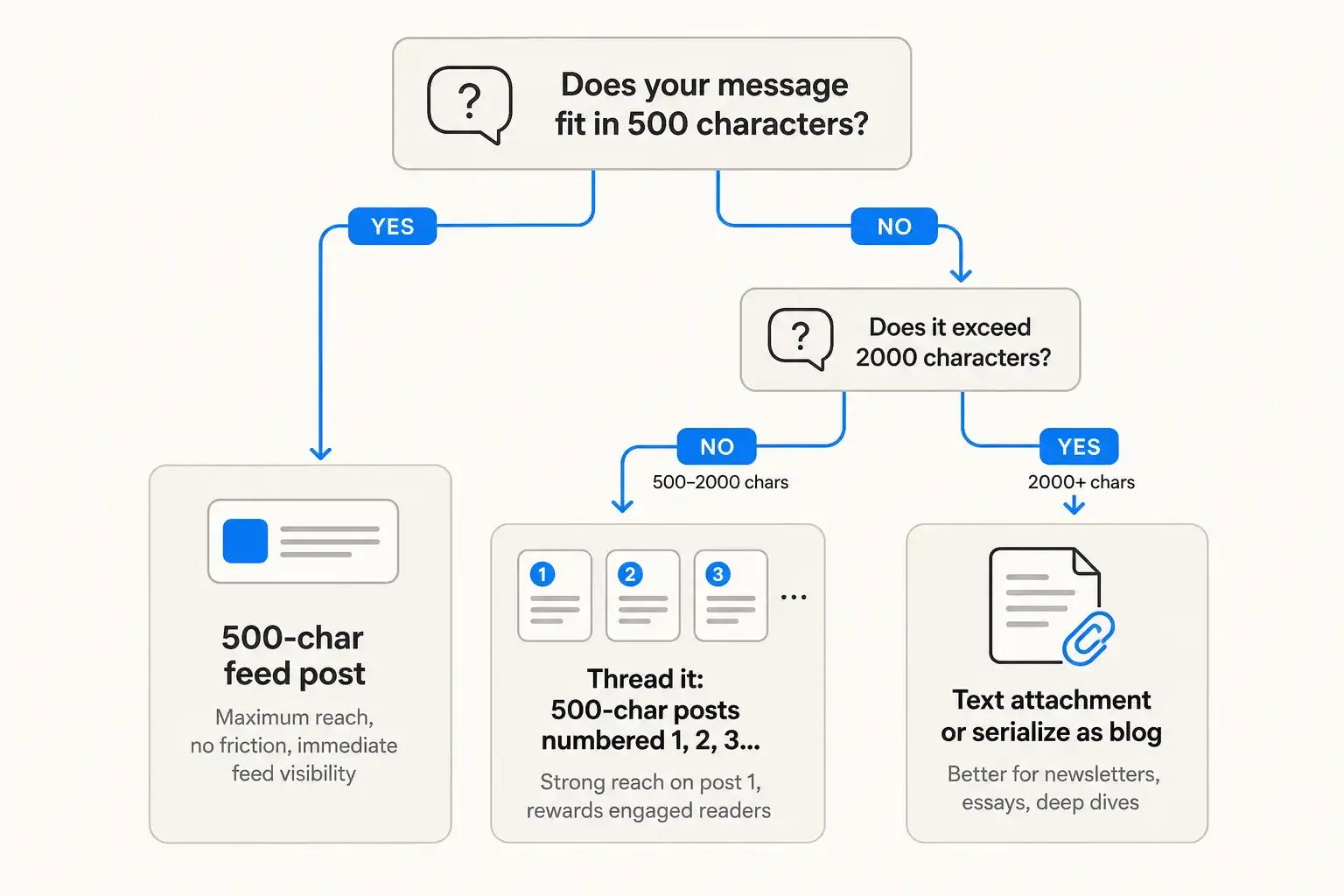
Decision tree: 500 characters? Use feed post. Longer? Thread it (500-2000 chars) or attach it (2000+ chars)
The moment you move beyond rough drafting into final copy, you hit the real constraint: you need to know exactly where the 500-character line lives.
Not approximately. Not “around 500.” Exactly.
This is where most creators fail. They paste into Threads’ native editor, discover they’re 12 characters over, and either hastily edit (losing the original message) or chain awkwardly (breaking the flow). A few cycles of this, and the creative act becomes painful instead of intuitive.
A character counter built specifically for Threads - one that shows the 500-character limit in real time, handles full-length link counting, strips out invisible characters, and even chains your text automatically at the 500-character boundary - turns this from a painful negotiation into a craft tool. You draft, you see exactly where you stand, you make a tactical choice: edit it down, thread it out, or convert it to a text attachment.
PostTruncate’s Threads character counter does exactly this. Paste any draft, and it shows your count against the 500-character ceiling in real time, with a live preview of how the post will actually render on Threads. It handles the link-counting correctly, catches invisible characters, and splits overflow into numbered chains automatically. More importantly, it runs entirely in your browser - nothing is uploaded, nothing is stored, and it’s free.
Once you have a tool like this, the decision to use 500-character posts, threaded chains, or text attachments becomes a strategic choice instead of a technical struggle.
Try PostTruncate
If you’re serious about reaching an audience on Threads, precision on the 500-character line is non-negotiable. Paste your next long-form Threads draft into PostTruncate - watch the counter jump to the exact character where your post will overflow, then decide: trim it, thread it, or attach it. The tool pays for itself the first time you avoid an over-limit post or catch an invisible character that would’ve broken your reach.
Threads didn’t start as a platform for long-form, but it’s become one - and that shift means creators need precision tools to navigate both formats strategically. That’s what PostTruncate is built for.
FAQs
What's the actual character limit on Threads?
Threads gives you 500 characters per post - nearly double X's 280-character ceiling. If you exceed 500 characters, Threads lets you chain additional posts as numbered replies in a thread, though only users who tap into the chain will see them.
How are text attachments different from regular Threads posts?
Text attachments let you post up to 10,000 characters in a single, expandable block - like a mini-article. Readers tap " See more" to expand the full text. While this bypasses the 500-character feed limit, the trade-off is engagement friction: the tap-to-expand action drops visibility compared to a snappy 500-character post that lives fully visible in the feed.
Do links count differently on Threads than on X?
Yes. X collapses every URL to a flat 23 characters via the t.co shortener. On Threads, links count at their full URL length. A 75-character URL burns 75 of your 500 characters on Threads, not 23. This catches writers off guard when drafting on X first, then copying to Threads.
Should I use text attachments for long-form content?
Text attachments work for newsletter-style deep dives, essays, or structured guides where you want the full piece in one place. But if your goal is to reach in the feed, a well-written 500-character post followed by a threaded chain usually outperforms a single text attachment, because the first post stays visible to all users scrolling the feed.
How do I know if my Threads post will be cut off?
Use a character counter that understands Threads-specific rules - like PostTruncate's Threads counter, which shows your count in real time and catches reach-shrinking quirks like invisible Unicode characters that bloat your character count without adding visible text.


Join the discussion
Comments are reviewed before they appear, so yours won’t show up right away.