



TikTok Captions: 4,000 Chars, 100 Visible (2026 SEO)
TikTok's 4,000-character limit isn't generous-it folds at ~100 chars. Learn to write SEO-optimized captions that survive the fold and rank in TikTok search.
 By Anirudha Published Updated
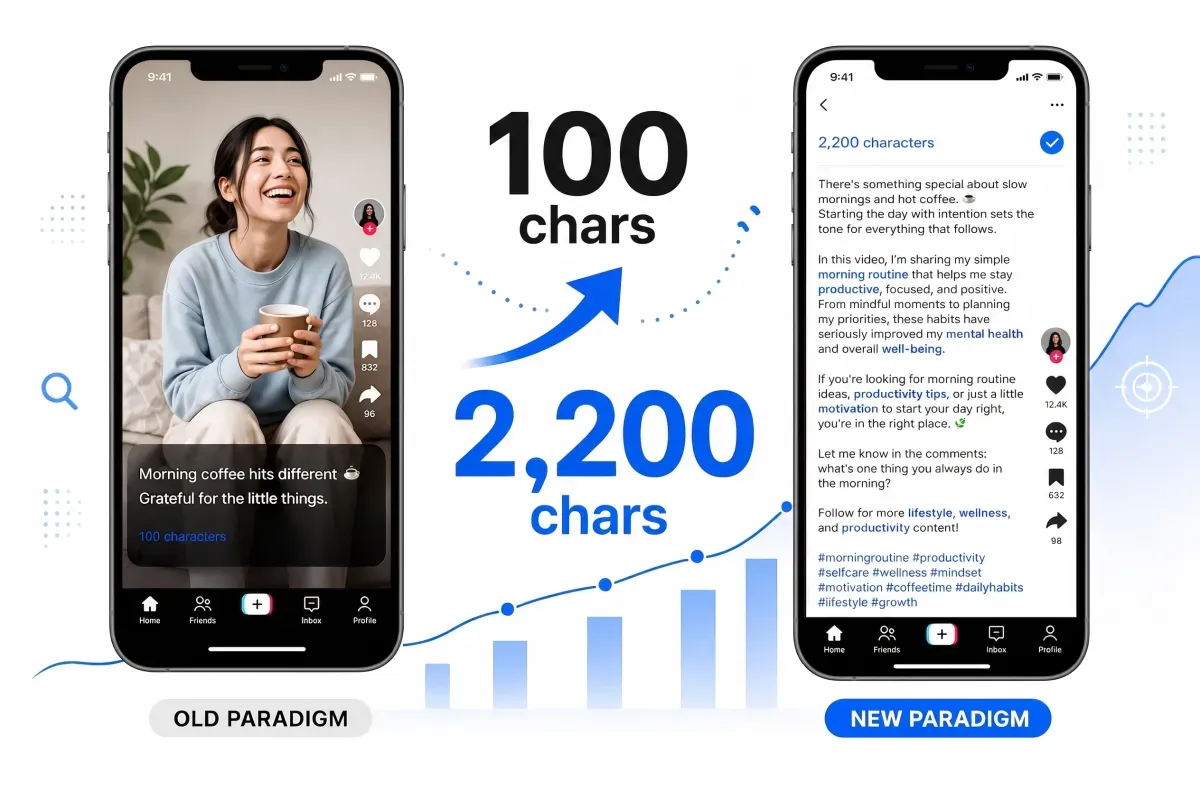
TL;DR
TikTok’s 4,000-character caption limit is deceptively generous (post through the API or a scheduler and you’re still capped at 2,200). The catch? Viewers see only ~100 characters before the caption folds behind a “…more” button. This is the single biggest missed SEO opportunity on the platform: most creators waste thousands of characters with a joke and three hashtags instead of writing a keyword-rich “mini-blog post” that feeds TikTok’s search algorithm.
The shift: In 2024–2026, TikTok evolved from a scroll-and-watch app into an active search engine. Captions now have to work for discoverability, not just context. The 4,000-character limit is where the real SEO play lives. Learn how to write captions that hook viewers in the first 100 characters, then deepen with keywords, answers to follow-ups, and narrative that keeps engaged viewers reading after they click “more.”
The tool: PostTruncate’s TikTok SEO editor shows you exactly where your caption folds, tracks keyword density in real time, and lets you rewrite for tone - ensuring every word counts toward both the fold and the algorithm.
The Paradigm Shift: TikTok Is a Search Engine Now
You’ve probably noticed TikTok’s new search bar. It’s no longer just a place to find trending sounds and effects-it’s a full-fledged search engine competing with Google on intent. In 2024, TikTok publicly confirmed that captions are now indexed and ranked alongside video content, sounds, and hashtags. Your 4,000-character caption is now prime SEO real estate.
The jump from 150 to 2,200 - and more recently to 4,000 - characters didn’t happen by accident. TikTok needed room for creators to answer questions, provide context, and include keywords. The algorithm now rewards captions that match search queries-especially long-tail queries like “how to edit a TikTok caption,” “character limit for TikTok,” and “TikTok SEO tips.”
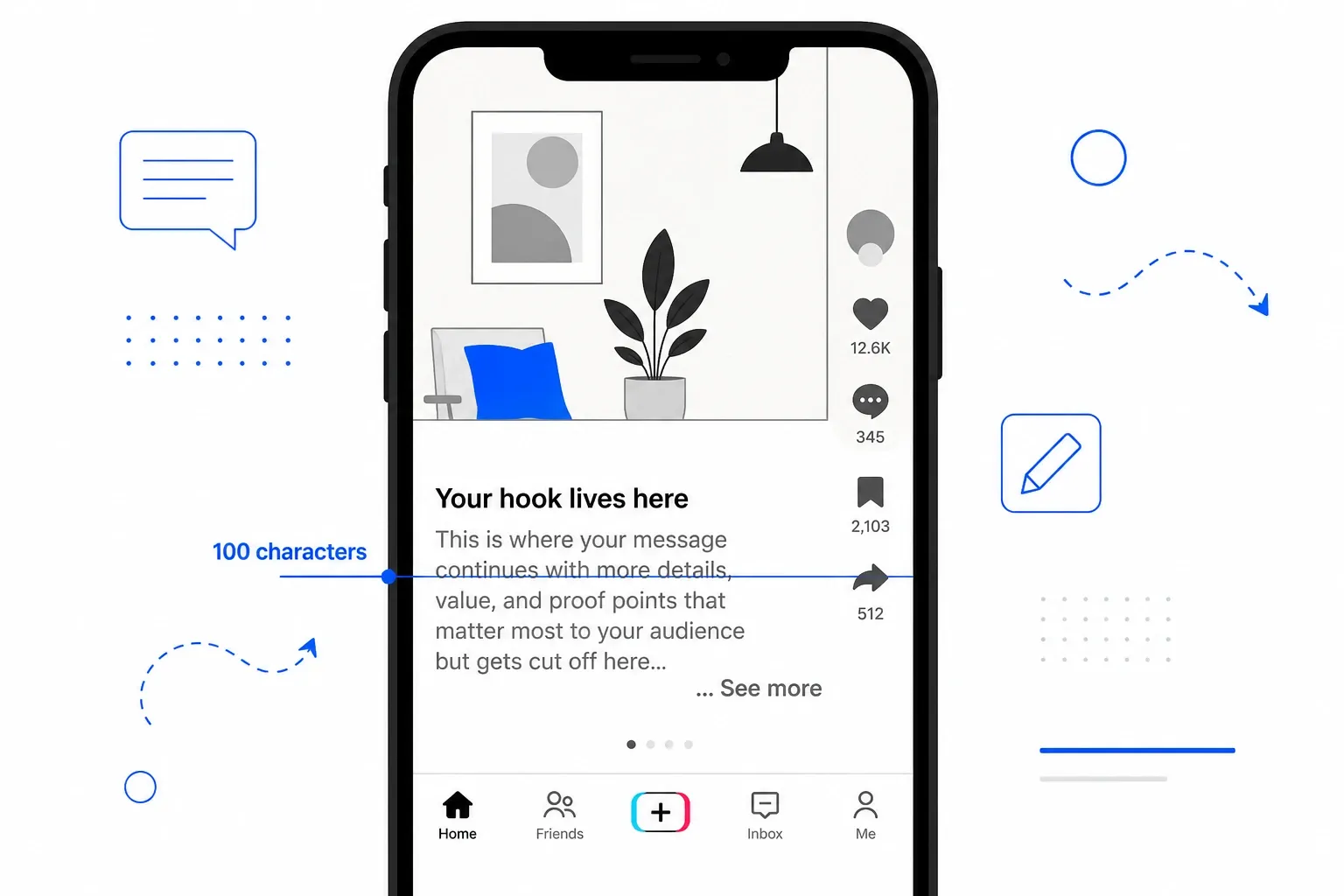
But here’s what most creators don’t realise: the fold hasn’t budged. Since 2022, the first ~100 characters (or the text before your first line break) are all that show without clicking “more.” Everything beyond that is hidden. This creates the fundamental TikTok caption paradox: you have 4,000 characters, but only 100 are visible.
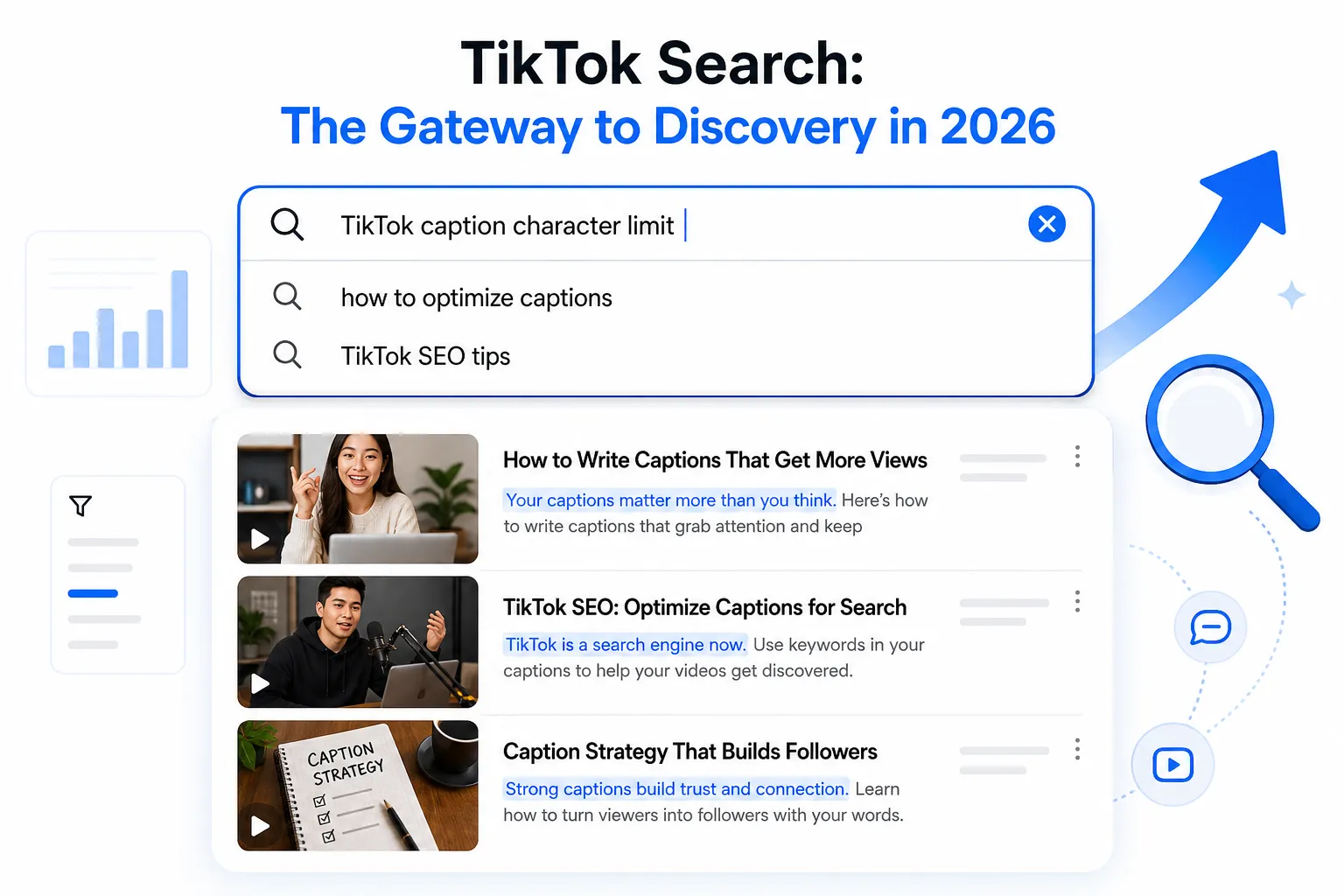
TikTok Search Interface: captions are now searchable content with discovery and ranking indicators
The Missed Opportunity: Thousands of Characters of Wasted SEO Real Estate
Scroll through TikTok, and you’ll see the pattern over and over:
“nah fr 💀 #ForYouPage #FYP #Trending”
12 characters. Nearly 4,000 characters wasted.
Even creators who use more characters typically default to the old playbook:
“thought this would be funny lol | #FYP #ForYouPage #Content #Viral #TikTok”
80 characters. Still more than 3,900 characters left on the table.
The reason creators operate this way is simple: they were trained to think of captions as secondary. The video is the star; the caption is the afterthought. When you had only 150 characters, that made sense. You’d punch a joke or throw a CTA at the top, done.
But that playbook breaks in a 4,000-character world where TikTok is actively surfacing content via search. Every creator who isn’t using those thousands of characters for SEO optimisation is surrendering ranking positions to competitors who are.
The “Mini-Blog Post” Strategy: Writing Captions That Rank
The winning move is treating your 4,000-character caption like a mini-blog post. Not a novel-still short, still punchy. But written with keywords, answer-driven structure, and depth.
Here’s the framework:
1. Nail the First 100 Characters (The Hook + Primary Keyword)
This is what viewers see. It has to work.
- Lead with specificity. “POV: Your TikTok captions are costing you views” works better than “random thought.”
- Place your primary keyword early. If you’re targeting “TikTok caption character limit,” work it in naturally: “Most creators don’t realise TikTok captions have a 4,000-character limit-here’s how to use it for SEO.”
- Ask a question or create curiosity. “Think your 100-character TikTok caption is enough?” pulls readers deeper.
The first 100 characters should answer: Why should I click “more”?
2. Use 100–300 Characters for Secondary Keywords and Value Props
Once the viewer clicks “more,” you’ve earned their attention. Expand with:
- Related search terms: If your primary keyword is “TikTok caption character limit,” secondary keywords might be “TikTok SEO,” “caption best practices,” and “keyword density.”
- Answer a follow-up question: The viewer clicked, so they’re curious. Feed that curiosity. “The limit is 4,000, but here’s the catch most creators miss…”
- Provide context: Why does this matter? “TikTok now indexes captions for search ranking, which means your caption copy is as important as your video content.”
3. Build Depth with Keywords Below the Fold
Everything from 300–4,000 characters is fair game for SEO. Use it to:
- Repeat keywords naturally. Not keyword stuffing-organic repetition. If “TikTok caption” is your main phrase, use it 2–3 more times across the full caption.
- Target long-tail variations. “How to write a TikTok caption,” “TikTok caption ideas,” “TikTok caption character limit 2026”-weave these in.
- Provide value. A quick tutorial, a personal story, a controversial take, a resource link. Make the full caption worth reading.
- End with a CTA. “Drop your best caption tip below” or “What’s your TikTok caption strategy?”
The Anatomy of a Winning Long-Form Caption
Here’s a real example (in outline form):
Characters 1–100 (Hook + Primary Keyword): “Wait, your TikTok captions are only 100 characters? Here’s why that’s costing you views in 2026.”
Characters 100–300 (Secondary Keywords): “TikTok now ranks captions in search. A 4,000-character limit means you can write SEO-optimized content, not just jokes.”
Characters 300–800 (Depth & Long-Tail Keywords): “The catch: the first ~100 characters are all viewers see before clicking ‘more.’ So hook them there, then expand with keywords, answers, and storytelling. TikTok’s algorithm rewards captions that match search intent-which means you need keywords in your caption, not just hashtags.”
Characters 800–2,050 (Value + Engagement): “Here’s how I went from 500 views to 10K: I stopped writing jokes and started writing answers. Every caption now targets a real search term. TikTok caption character limit, TikTok SEO tips, how to write engaging captions-I work them in naturally. Use a character counter that shows the ~100-char fold point (trust me, it changes everything). Try PostTruncate if you want real-time keyword tracking and tone analysis built in.”
Total: 2,050 characters of purposeful content.
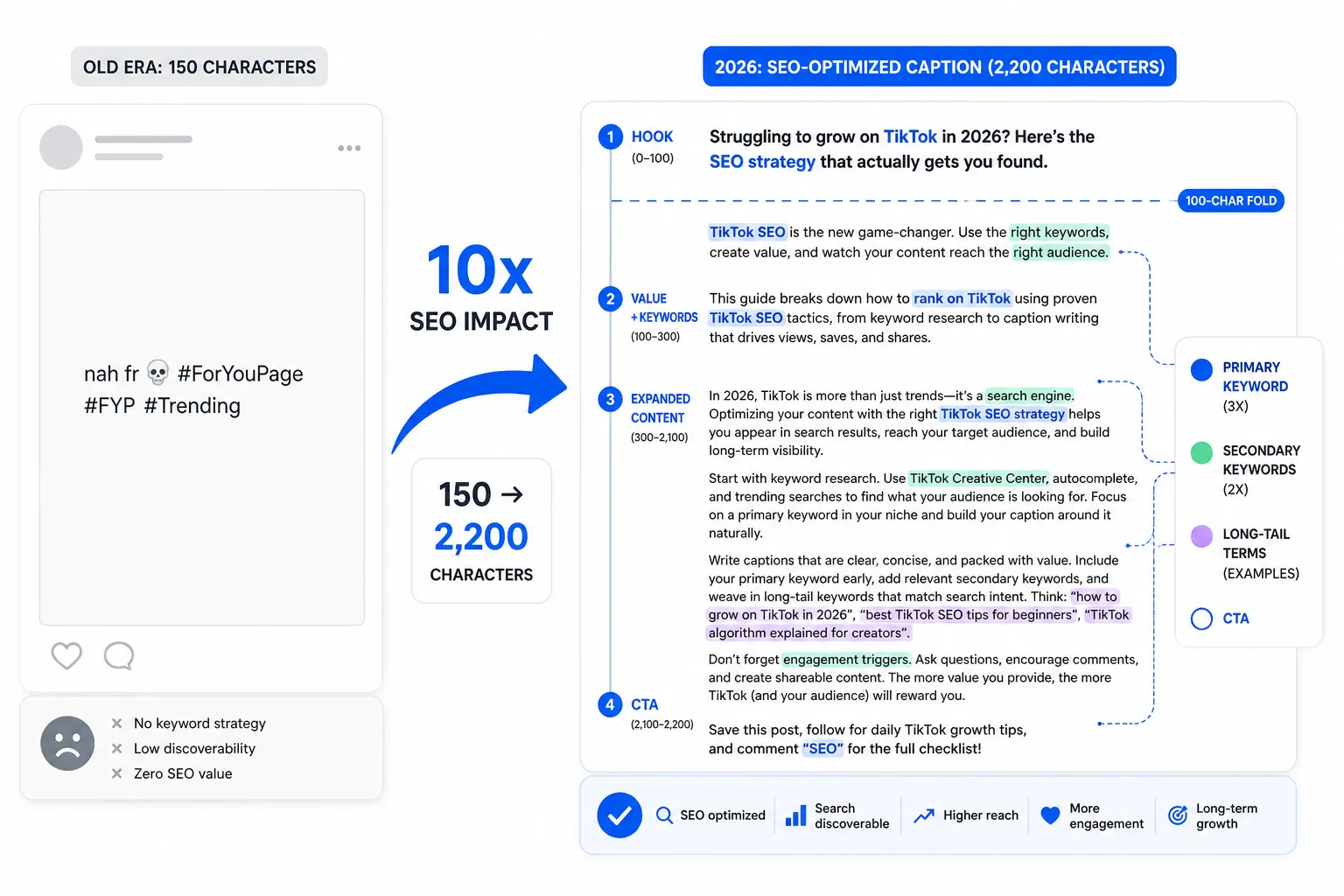
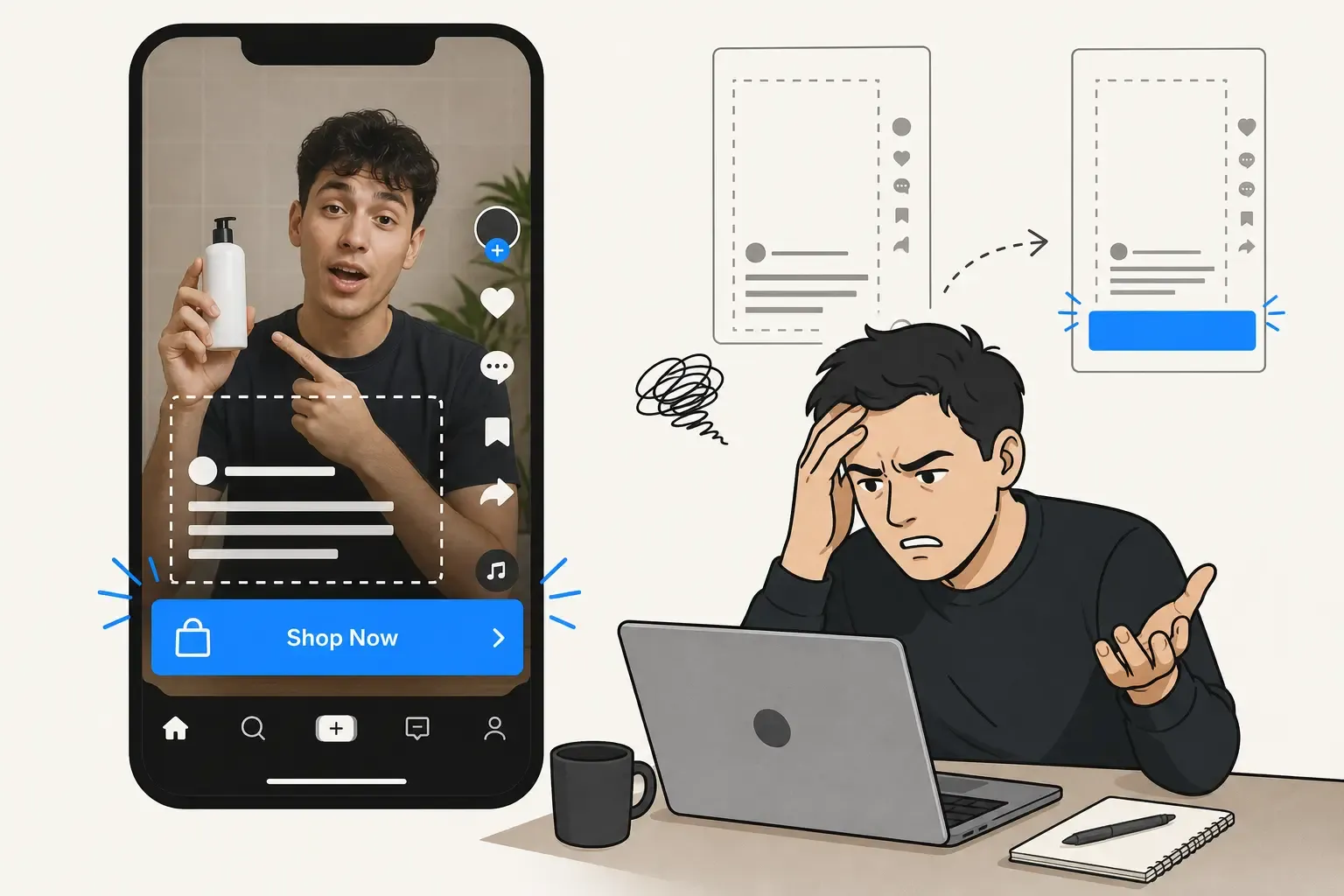
Side-by-side comparison: 150-character joke caption vs. long-form SEO-optimized caption with keyword tracking
The Solution: PostTruncate’s TikTok SEO Workspace
Writing a 4,000-character caption that works above and below the fold requires visibility: you need to know exactly where your caption truncates, what keywords you’re hitting, and whether your tone lands the right way.
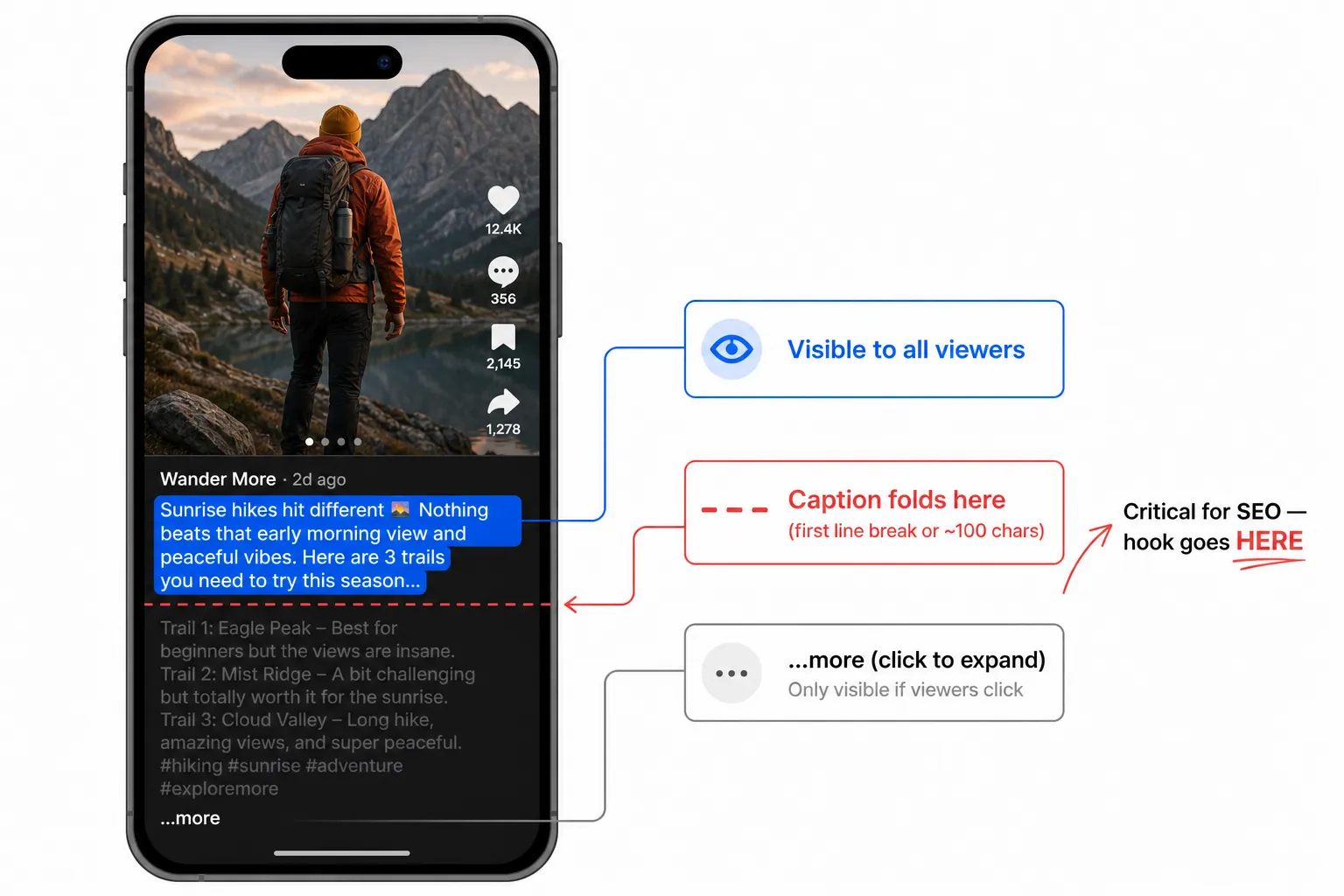
Mobile TikTok caption fold visualisation: first 100 characters visible, remaining content hidden behind …more button
PostTruncate’s TikTok caption editor is built for exactly this workflow. It’s a free, browser-based workspace that shows:
- Real-time fold visualisation. See exactly where TikTok cuts off your caption at ~100 characters or the first line break. Most character counters don’t show this-PostTruncate does.
- Keyword density tracking. As you type, the editor analyses word frequency. Are you repeating your primary keyword 2–3 times? Are long-tail variations woven in naturally? See it live.
- Platform-specific limits. Compare how the same caption renders on TikTok (fold at ~100), Instagram (fold at ~125), Threads, LinkedIn, and more. One caption, six platforms-see the differences instantly.
- AI tone rewriter. Write in one voice, then rewrite for “professional,” “casual,” “witty,” or “concise” with one click. Test versions without rewriting from scratch.
- Reading-level analysis. TikTok’s algorithm favours clarity. Know your reading grade and refine accordingly.
The workflow is simple:
- Draft your full caption in the editor.
- Check the fold point. Make sure your hook lands in the first 100 characters.
- Scan keyword density. Your primary keyword should appear 2–3 times; secondary keywords once or twice.
- Test tone variations. Rewrite to match your brand voice.
- Compare platforms. See how the same caption looks on Instagram, LinkedIn, and Threads.
- Post with confidence. You know exactly how it will render, where it truncates, and which keywords are indexed.
Real-World Example: “TikTok Character Limit” Hook
Let’s say you’re targeting the keyword “TikTok character limit 2026 SEO.” Here’s how you’d use the TikTok character counter to optimise:
Draft:“TikTok caption character limit just hit 4,000 chars, but most creators don’t know the biggest gotcha. Your caption folds at the first line break or around 100 characters. This means… [continues with keyword-rich expansion below the fold, targeting ‘TikTok SEO,’ ‘caption best practices,’ ‘how to optimise TikTok captions’] …The 4,000-character limit is your SEO advantage if you use it right.”
In PostTruncate’s editor:
- You see the ~100-character fold line. Your hook is tight: “TikTok caption character limit just hit 4,000 chars-but most creators don’t know the biggest gotcha.”
- Keyword scan shows “TikTok caption character limit” hits 3 times across the full caption, and “TikTok SEO” hits 2 times.
- Tone check confirms it reads conversational, not spammy.
- Platform comparison shows how the same text renders on Instagram (folds at ~125) and LinkedIn (folds at ~140).
- You post, knowing that TikTok’s algorithm will index both the hook (which users see immediately) and the keyword-rich expansion (which powers search ranking).
Writing Rules: How to Stay Natural
The danger zone: keyword stuffing. If your caption reads like a spam email, TikTok’s algorithm will notice, and so will your audience. Here’s how to weave keywords naturally:
- Speak like a person. Read your caption aloud. If it sounds robotic, rewrite it.
- Vary your phrasing. Don’t repeat “TikTok caption” seven times. Use “caption optimisation,” “how to write captions,” “caption best practices,” “caption strategy”-related terms that sound natural.
- Use keywords in questions and answers. “Why does your TikTok caption matter?” → “Because TikTok now ranks captions for search.” Conversational, keyword-rich.
- Cluster keywords around value. Don’t toss a keyword in randomly. Group it with actionable content: “Here’s my TikTok caption framework: hook at 100 chars, keywords in the middle, CTA at the end.”
- Let the long-tail keywords breathe. “TikTok caption character limit 2026” is longer-use it once or twice, not ten times. Let single keywords (“SEO,” “captions,” “TikTok”) carry the rest.
Common Mistakes Creators Make
Mistake 1: Ignoring the Fold. Writing a 4,000-character caption as if all of it will be seen is the #1 error. The fold at ~100 characters is hard. Treat it like the headline of a blog post: it has to hook the reader.
Mistake 2: Keyword Stuffing Below the Fold. Just because viewers don’t see characters 100–4,000 without clicking doesn’t mean you can stuff them with keywords. Write for the algorithm, but write like a human. TikTok’s algorithm rewards engagement, and engaged viewers skip spammy captions.
Mistake 3: Not Testing Your Captions Write, post, forget. Better: write, check the fold point, check keyword density, test tone, then post. A character counter that shows the fold (like PostTruncate’s) turns testing from a chore into a 30-second habit.
Mistake 4: Treating All 4,000 Characters as Equal. They’re not. The first 100 characters are worth 10x what characters 1,000–1,100 are worth, because 10x more people see them. Structure your captions with this hierarchy in mind: hook → value → keywords → engagement CTA.
Mistake 5: Writing Long Captions for Short-Form Video. Context matters. A long, detailed caption makes sense for a 30-second how-to or educational video. For a dance or comedy video, a tight 50-character caption often outperforms lengthy ones. Match caption length to content type.
Wrapping Up: The 4,000-Character Opportunity
TikTok’s expanded caption limit is a gift to creators who treat captions like searchable content. The platform now ranks captions for search intent, which means your 4,000 characters can drive discovery, not just provide context.
The framework is straightforward:
- First 100 characters: Hook + primary keyword (visible to all)
- 100–300 characters: Secondary keywords + value prop (visible after “more”)
- 300–4,000 characters: Depth, long-tail keywords, narrative, engagement (searchable, algorithm-friendly)
The tool that makes this effortless is a character counter that shows the fold point and tracks keywords in real time. That’s exactly what PostTruncate’s TikTok caption editor does. Free, browser-based, no account needed.
Try PostTruncate
Ready to optimise your TikTok captions for search? PostTruncate’s TikTok character counter shows you the fold point in real time, tracks keyword density, and helps you test tone variations-all without leaving your browser. It’s free, privacy-first (nothing leaves your device), and works for Instagram, LinkedIn, and five other platforms simultaneously.
Write your next caption with the SEO workspace, watch the fold line as you type, and post knowing that every character is working for you.
FAQs
How many characters can you actually use in a TikTok caption?
TikTok allows 4,000 characters when you post natively in the app - though the TikTok API and most schedulers (Buffer, Hootsuite, Later) still cap captions at 2,200, so that's the safe ceiling if you don't post by hand. Either way, viewers see only the first \~100 characters (or text before the first line break) before the caption truncates behind a '…more' link. Everything beyond that requires clicking to expand - meaning your hook, hashtags, and keyword-rich content need to live in that first line to maximise visibility and SEO impact. Emojis, hashtags, and special characters all count toward the limit.
What's the difference between the 150, 2,200, and 4,000 character limits?
TikTok increased the caption limit from 150 to 2,200, and more recently to 4,000 characters, to support longer-form captions and creator storytelling. (Posting through the API or a scheduler still caps you at 2,200.) However, the fold point (where text gets truncated) has stayed near \~100 characters since 2024. This means creators now have thousands of additional characters to work with, but only if they understand that most viewers won't see them without clicking '…more'. Smart creators use the expanded space for SEO optimisation, keyword repetition, and narrative depth - the algorithm rewards captions that keep viewers engaged beyond the fold.
How does TikTok SEO work with longer captions?
TikTok's algorithm increasingly rewards captions that match search queries - including long-tail keywords, hashtags, and natural language. A 4,000-character caption gives you room to naturally repeat keywords, answer follow-up questions, and target multiple search variations without looking like spam. Use the first \~100 characters for your hook and primary keyword, then expand with secondary keywords, related terms, and narrative content below the fold. This 'mini-blog post' approach treats your TikTok caption like a searchable piece of content, not just a joke or hashtag dump.
Should I always use the full 4,000 characters?
Not always. If your hook is strong and your video is clear, a tight 50- 100-character caption can outperform a lengthy one. However, for SEO-driven content (tutorials, reviews, how-tos, trends), longer captions consistently perform better - they give TikTok's algorithm more keywords to index and rank on. Test both approaches using a tool that tracks character count and fold visibility, so you can see exactly where your caption gets cut off and optimise accordingly. The 4,000 limit is a ceiling, not a mandate.
What's the best tool for writing optimised TikTok captions?
You need a tool that shows both the character count AND the fold point (where TikTok truncates your caption). PostTruncate's TikTok caption editor is purpose-built for this: it visualises the \~100-character fold in real time, tracks keyword density, rewrites for tone, and lets you compare how the same caption renders on Instagram, LinkedIn, and other platforms simultaneously. The SEO insights (keyword frequency, reading level) help you write captions that rank without reading like spam.

Join the discussion
Comments are reviewed before they appear, so yours won’t show up right away.