



How to Fit More Text in Your Instagram Bio (150 Characters)
You can't break Instagram's 150-character bio limit. But invisible characters, emoji weight, and URLs pasted into bio text are quietly stealing your space.
 By Anirudha Published

TL;DR
Instagram’s 150-character bio limit is non-negotiable. But most bios waste 5 to 15 of those characters on things no visitor ever reads: trailing spaces, invisible line-break characters, or a URL sitting in the bio text when it should be in the dedicated link field. Eliminate that invisible overhead, and you have enough room for an extra line of real content. Draft your bio in PostTruncate’s Instagram character counter to see exactly where every character is going before you paste to Instagram.
The 150-character wall
You wrote the perfect bio. It introduced you, named your niche, landed a hook, and left room to breathe. Then you pasted it into Instagram and got the character limit warning two words short of done.
Everyone building a real Instagram presence has hit this wall. The 150-character hard limit applies to every account type without exception, and Instagram enforces it on paste. No workaround breaks it.
The advice you find online tends to go one of two directions: shorten your bio (not useful when every word is earning its place) or use invisible characters to create visual spacing (which doesn’t actually buy you more text). Both miss the real problem.
The actual fix is simpler. A typical unoptimized bio leaks 5 to 15 characters to invisible waste. Find the waste, cut it, and those characters come back as real content. This is the developer’s approach to the problem, and it’s repeatable every time you update your bio.
The biggest source of wasted characters in an Instagram bio isn’t the words you chose. It’s the invisible text that arrived when you weren’t looking.
Trailing spaces and line breaks
End a line with “content creator ” (note the space after “creator”), and that space costs you one character. In a bio with three lines, three trailing spaces burn three characters: enough for “NYC” or “2026” or one short tag.
Line breaks are characters too. Each manual break you create counts toward your 150. The trouble starts when you draft in Google Docs, Notes, or a messaging app and then paste into Instagram. Those apps sometimes insert additional formatting characters alongside the visible newline. A paragraph break in Docs can be pasted as a newline plus a carriage return. That’s two characters where you expected one, and Instagram counts both.
Zero-width characters
Some creators add invisible Unicode characters like the Hangul Filler or zero-width space to create visual spacing without a visible glyph. This is a formatting aesthetic trick, not a storage trick. Those characters still count toward your 150-character budget. As of 2026, Instagram allows 1-2 invisible characters per section before triggering spam filters, but 5 or more gets a bio flagged. Every invisible character you add quietly shrinks the space you have for text that communicates something.
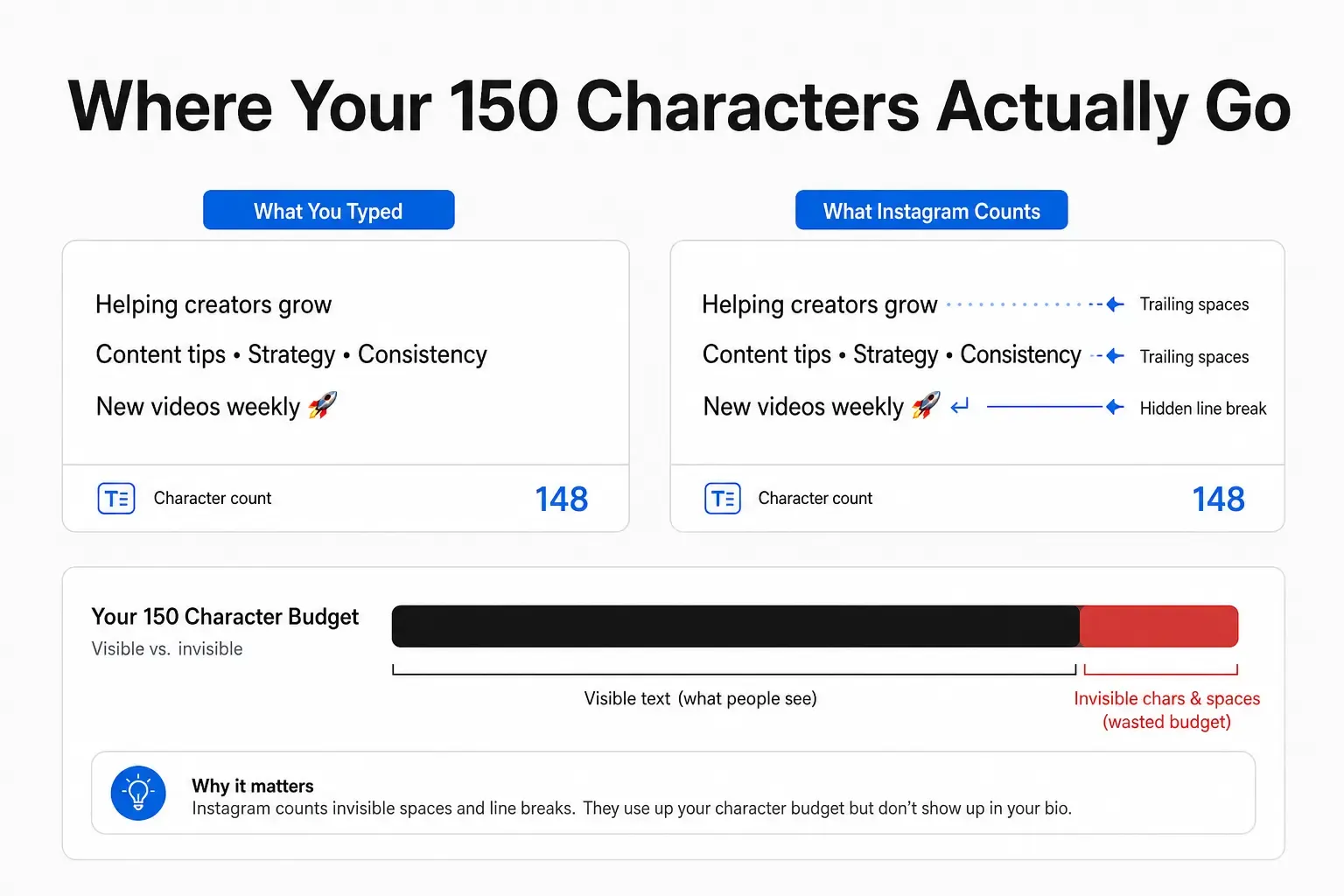
Where your 150 characters actually go - infographic showing how invisible trailing spaces and hidden line-break characters consume character budget without any visible content
The pattern is consistent: creators who draft their bio in a plain text editor and paste it to Instagram are almost always losing characters to invisible waste they never see. The solution isn’t to guess harder. It’s to use an environment that shows every character, including the ones that render as nothing.
The real weight of emojis in a 150-character bio
Emojis work in Instagram bios. A well-placed 📍 or ✍️ communicates niche faster than words. But emoji character counting has a quirk that causes real problems when you draft in the wrong tool.
How Instagram actually counts emojis
Unicode defines a concept called the grapheme cluster: the smallest unit of text a user perceives as a single character. Instagram counts grapheme clusters. A standard emoji like 😊 is one grapheme cluster and costs one character.
Compound emojis behave differently. A flag emoji (🇺🇸) is built from two Regional Indicator characters that pair to render as one flag. A family emoji with a skin-tone modifier chains multiple code points together using zero-width joiners. These still typically count as 1 grapheme cluster in Instagram’s system, but they use significantly more bytes internally.
Why does this matter? If you draft in a tool that measures bytes rather than graphemes, your count diverges from what Instagram will actually measure. A bio that your tool shows as 142 characters might paste at 149 in Instagram because the tool over-counted compound emoji byte weight.
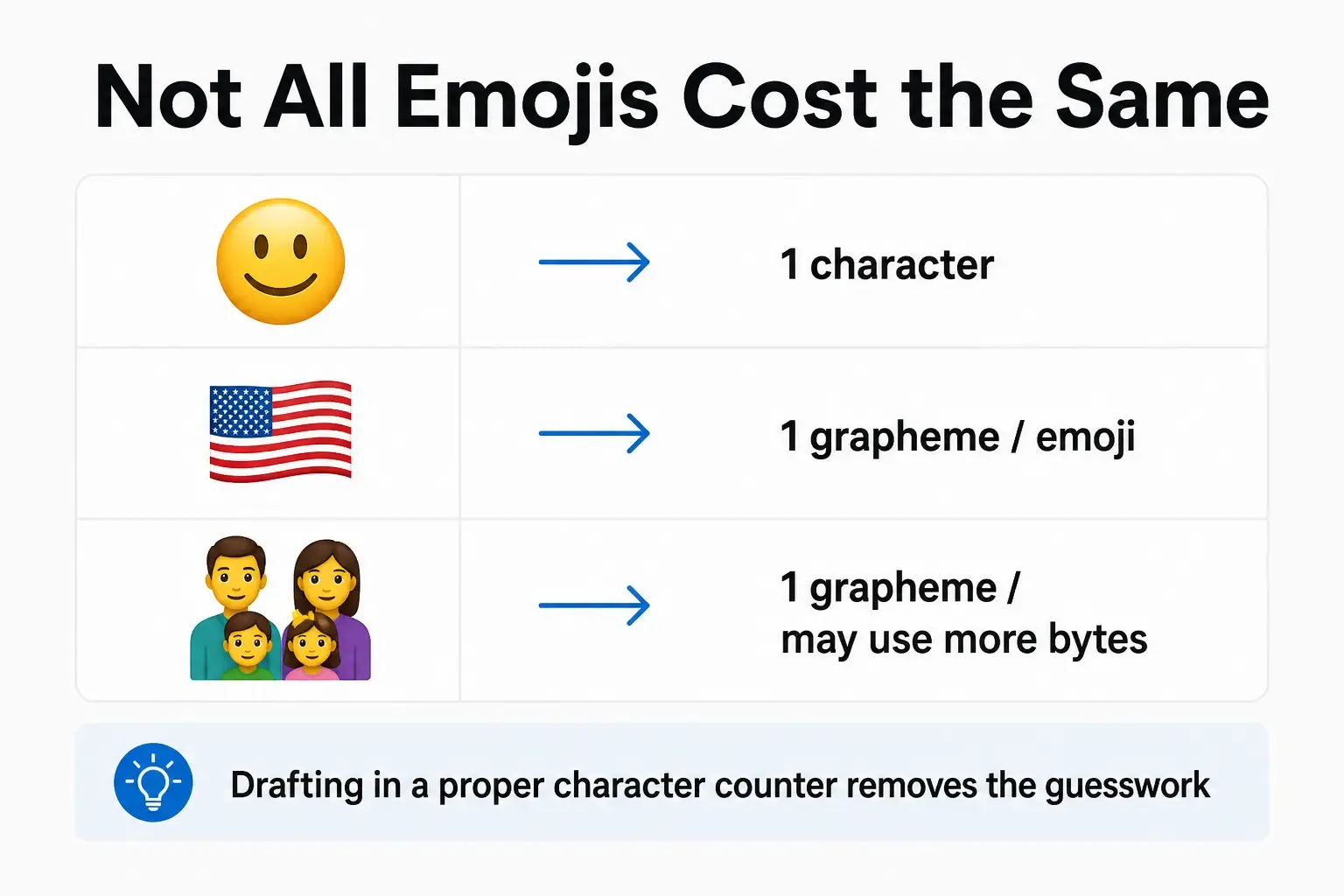
Not all emojis cost the same - infographic comparing character weight of a simple smiley emoji (1 character), a flag emoji (1 grapheme cluster, more bytes), and a family emoji with modifiers
Standard emojis are safe: count 1 per emoji; they’ll match Instagram’s count. For compound emojis like flags or complex family/profession groups, verify in a grapheme-cluster counter before you commit. PostTruncate’s emoji counter uses grapheme cluster counting and matches Instagram’s behaviour.
The broader takeaway: for a deeper look at how emoji encoding affects character counts across different systems, the PostTruncate guide on the hidden cost of emojis in SMS marketing shows exactly why byte vs. grapheme counting diverges, in a context where the cost is even more visible.
Move your URL out of the bio text
This one change reclaims the most characters fastest.
A URL like https://mysite.com/newsletter is 33 characters. That’s 22 percent of your entire 150-character bio budget spent on one link that most visitors won’t manually type anyway.
Instagram gives every account a dedicated link field: the “Link in bio” section shown below your bio text on your profile page. Links in that field are clickable, work on mobile without copying, and are completely separate from the 150-character bio text limit. Moving your URL from the bio body to that field reclaims every one of those characters the moment you do it.
If you want to send visitors to multiple destinations (newsletter, latest post, shop), a link-in-bio tool places a simple landing page behind one short URL in the link field. That short URL costs you roughly 20 characters at most. The other 130 in your bio are pure text.
“the link in bio is the biggest mistake I see new creators make. it’s a whole separate field. stop using your bio for it”
- r/Instagram, community thread on bio character limits
Before and after: what optimisation looks like
Here’s the practical difference in a real scenario.
Before (unoptimized):
Content creator + developer 🛠️
Building tools that help marketers write smarter
Follow for weekly tips
https://mysite.com/newsletter
The URL takes 31 characters. A trailing space after “smarter” takes one more. The line breaks cost three characters. Instagram counts 149 of 150, but fewer than 100 are visible, scannable content.
After (optimisedoptimisation - URL moved to link field):
Content creator + developer 🛠️
Building tools that help marketers write smarter
Solo dev. I write about writing for the algorithm
Weekly tips ↓
URL moved to the link field. Trailing space removed. All 148 characters are visible and doing real work. One full extra line of content appeared without changing the hard limit.
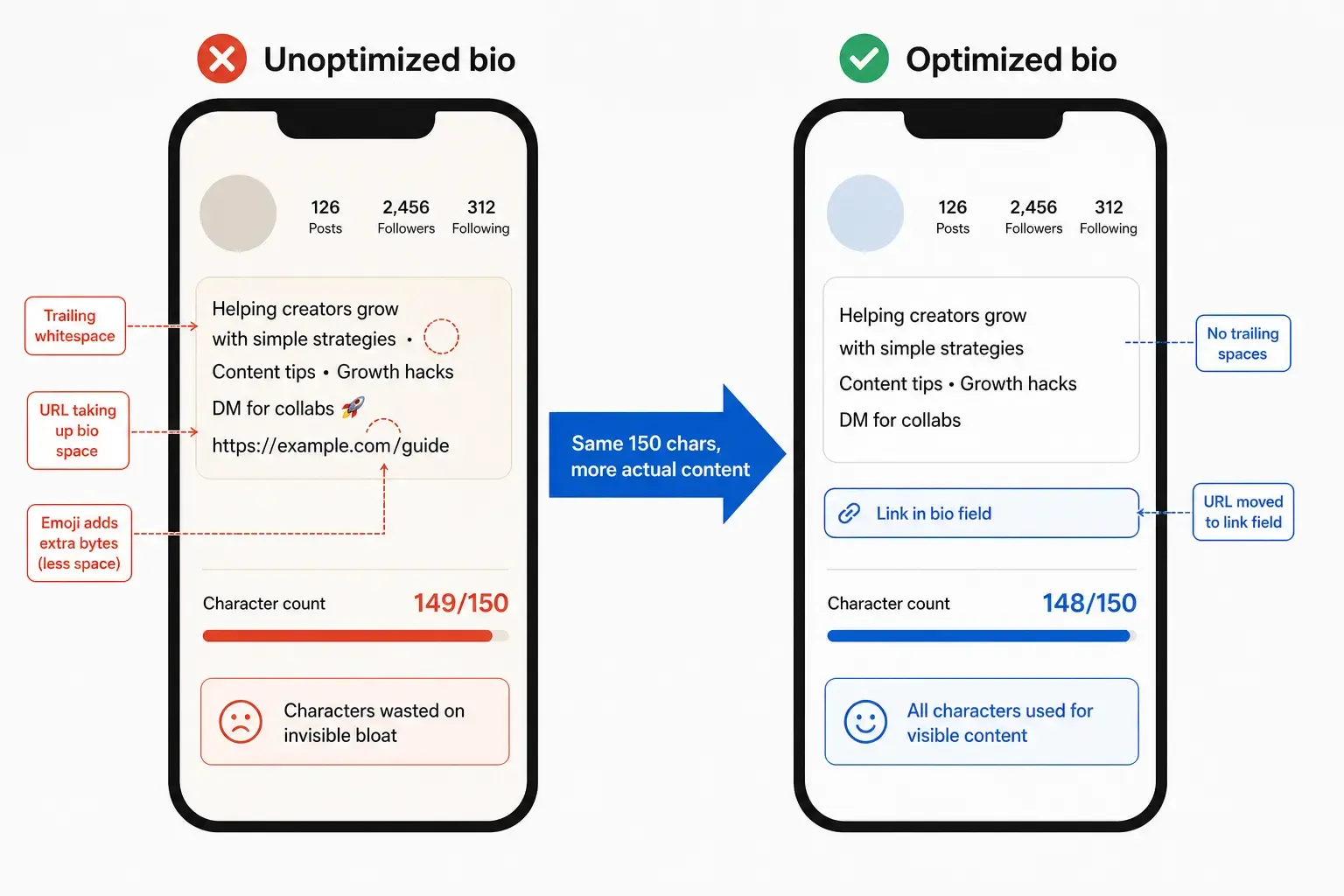
Before and after Instagram bio optimisation - two phone screens side by side, showing a bio with URL in the text field and trailing spaces vs. the same bio with URL in the dedicated link field and all 150 characters used for visible content
Your bio sandbox: draft here, not in Instagram
Instagram’s bio editor doesn’t show you invisible characters. It doesn’t warn you that a trailing space is consuming your budget. It rejects your text at the limit and forces you to delete characters blindly until you fit, often cutting real content because the invisible waste is invisible.
The fix is to draft your bio in an environment that counts every character accurately, including the ones that don’t render, and then paste the clean result to Instagram.
I built PostTruncate.com as a developer who kept running into exactly this kind of silent character count problem across different platforms. The , runs entirely in your browser - no sign-up, nothing uploaded, no data stored - and gives you a live count using grapheme cluster counting that matches Instagram’s behaviour. It surfaces invisible characters so you can strip them before they cost you anything. And it’s free.
PostTruncate character counter tool - animated screenshot showing real-time character counting for social media posts, as taken from PostTruncate.com
The workflow that actually works:
- Open PostTruncate’s Instagram character counter in a new tab
- Draft or paste your bio text
- Watch the live count update as you type
- Remove any invisible characters or trailing spaces from the tool surfaces
- Copy the clean text and paste directly into Instagram’s bio field
You stop fighting the editor and start showing up at 150 characters with all 150 doing something useful.
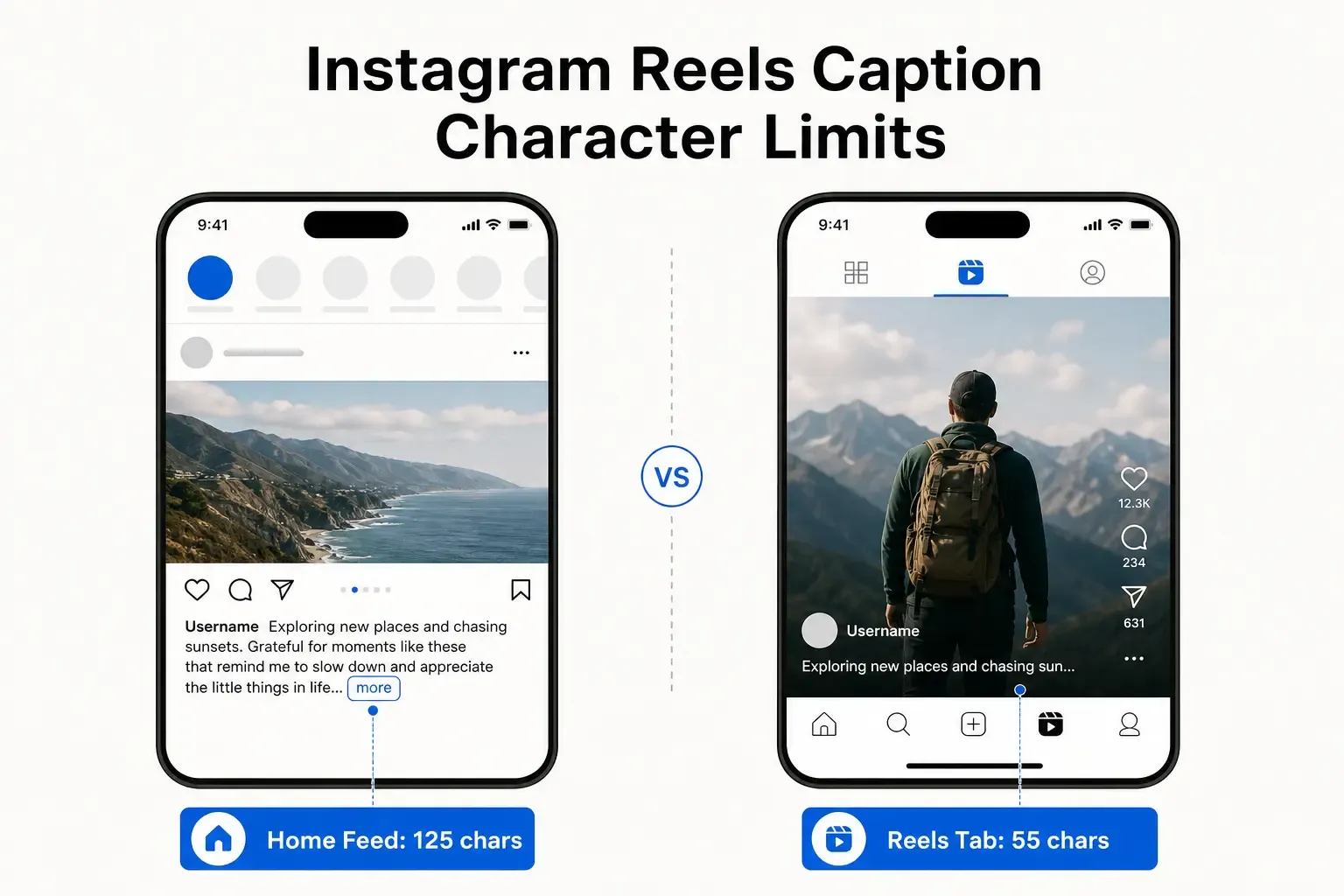
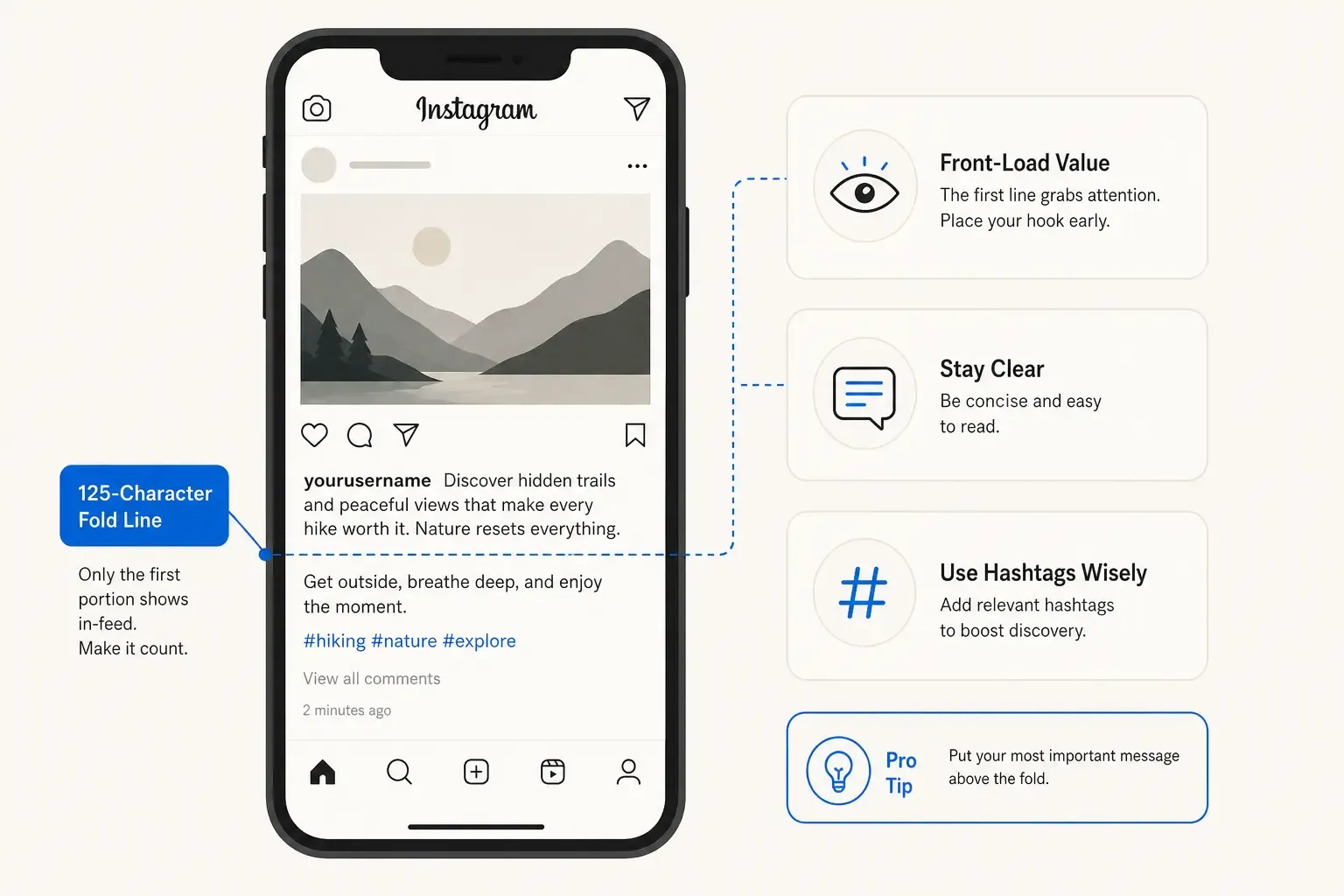
For more on how Instagram handles characters in captions (which have their own separate 2,200-character limit with a 125-character feed fold), the PostTruncate guide on Instagram caption limits and hashtag rules covers it in full. And if you’re curious about why platforms impose these limits in the first place, why do social platforms truncate posts? explains the psychology and history behind the 150-character bio limit itself.
Try PostTruncate
PostTruncate is a free, browser-based character counter built for social media writers who need an accurate count before they publish. The Instagram character counter uses grapheme cluster counting that matches Instagram’s own measurement, surfaces invisible characters that eat into your bio budget, and runs entirely client-side - nothing gets uploaded or stored. If you’re updating your bio or writing it from scratch, draft it here first, clean it up, then paste it to Instagram. That’s the workflow that gets you to 150 characters of real content every time.
FAQs
What is the Instagram bio character limit?
Instagram enforces a hard 150-character limit on profile bios. This applies to every account type - personal, creator, and business. There is no way to increase the limit; the only option is to maximise how many of those 150 characters carry useful, visible content. You can verify Instagram's exact limit on PostTruncate's platform limits page.
Do emojis count as characters in your Instagram bio?
Yes. Instagram counts emojis as characters. Most common emojis resolve to a single grapheme cluster and count as 1 character. However, compound emojis like flag emojis or family emojis with skin-tone modifiers use more bytes internally, which can cause mismatches if you draft in a tool that counts bytes rather than graphemes. Use PostTruncate's Instagram character counter for an accurate count before pasting.
Can you use invisible characters to fit more text in your Instagram bio?
No. Invisible Unicode characters like the Hangul Filler or zero-width space do not create extra storage. They still consume your 150-character budget while rendering as nothing visible. Instagram's 2026 policy allows 1-2 invisible characters per section before triggering spam filters, but each one you add quietly shrinks your usable text budget.
How do I remove trailing spaces and hidden characters from my Instagram bio?
Draft your bio in PostTruncate's free character counter before pasting into Instagram. The tool surfaces invisible characters and trailing spaces that would otherwise eat into your 150-character budget without you knowing. Paste the clean text from PostTruncate directly into your Instagram bio field. For deeper inspection, the byte counter tool shows exactly how many bytes each element consumes.
What's the easiest way to check my Instagram bio character count before posting?
Use PostTruncate's free Instagram character counter. It runs entirely in your browser - no sign-up, no data uploaded - and gives you a real-time character count that matches Instagram's grapheme cluster counting method. Paste your draft bio, see the exact count, fix any invisible character issues, then copy and paste the clean version into Instagram.

Join the discussion
Comments are reviewed before they appear, so yours won’t show up right away.